How to Choose Between Android POS and iPad POS? A Guide for Malaysian F&B Owners.
Struggling to choose the right POS for your Malaysian F&B business? This guide compares Android POS and iPad POS by cost, durability, user experience, and repair support.
 14 May 2026

 Eats365
Contents
Android or iPad POS for Malaysian Restaurants
For most Malaysian F&B operators, the real choice is not only Android vs iPad. It is consistency vs hardware flexibility. iPad POS usually gives a more uniform app experience and easier replacement, while Android POS often gives lower entry cost and more purpose-built terminal formats for kiosks and high-volume counters.
When Malaysian operators compare an android pos system malaysia setup with an ipad pos system malaysia setup, the biggest difference starts with ecosystem control. iPad POS usually runs in a more standardised environment, so interface behaviour, app support, and OS updates are often more predictable across devices. By contrast, Android quality varies more widely by brand, chipset, Android version, and whether the device is a consumer tablet or a commercial POS terminal.
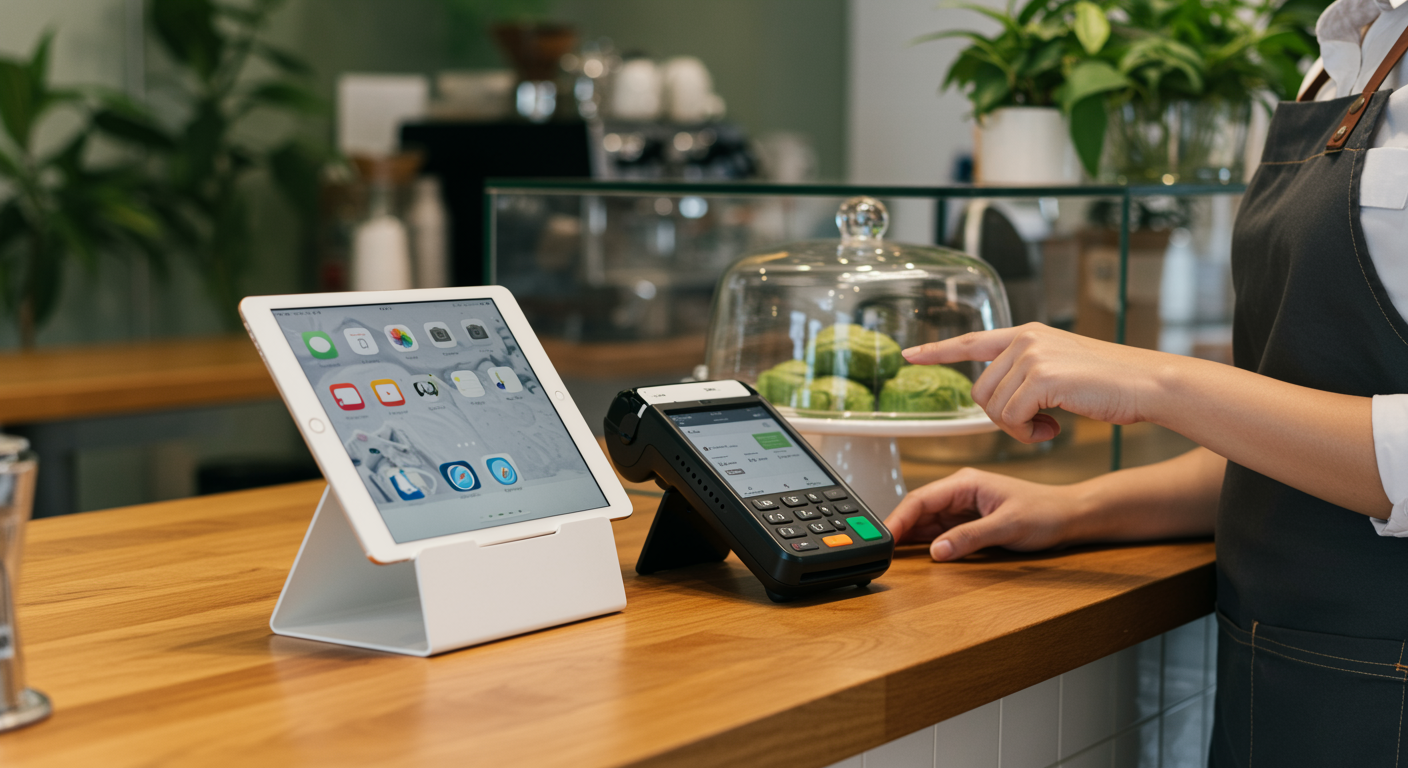
That difference matters on the shop floor. A café using several cashier stations usually benefits from the familiar touch experience and consistent screen behaviour of iPads, while a QSR or kiosk may prefer Android terminals that combine screen, printer, and customer display in one compact unit. Professional Android devices such as SUNMI are common in Malaysia, but operators should not assume every Android tablet offers the same stability or long-term support.
Before the cost comparison, here is a practical side-by-side view of the trade-offs.
| Comparison area | iPad POS | Android POS |
|---|---|---|
| Ecosystem & updates |
|
|
| Serviceability & repairs |
|
|
| Reliability & peripheral compatibility |
|
|
| Hardware form factor & integrations |
|
|
| Total cost of ownership (2–5 years) |
|
|
What the comparison table really shows
The table shows a clear pattern: iPad usually gives a more uniform software path and easier replacement, while Android gives a wider range of hardware formats and lower starting prices. The trade-off is that Android can be either very practical or very troublesome, depending on whether you buy a well-supported commercial terminal or a cheap general-purpose tablet. In both cases, buyers should confirm the tested device list, supported OS versions, and replacement policy with the POS vendor before signing.
Hardware style also affects service flow. iPads often fit cafés and casual dining outlets that want a clean counter, familiar staff onboarding, and a premium front-of-house look. Android terminals often fit self-service kiosks, food courts, and high-volume takeaway counters where built-in printers and industrial casing reduce cable clutter and save space.
Why this matter?
In Malaysia, serviceability should carry more weight than processor speed or screen size. iPads are generally easier to replace or repair through Apple channels, local resellers, and third-party repair shops, while some Android all-in-one terminals depend on vendor-specific chargers, spare parts, and service contracts. If one cashier device goes down during lunch or dinner rush, the real cost is lost transactions and queue disruption, not only the repair bill.
Reliability also depends on peripherals. Android setups can face more variation in driver support, firmware behaviour, and accessory compatibility if the ecosystem is not tightly controlled. iPad setups still rely on networks, printers, and readers, but the tablet side is usually more consistent across outlets, which helps when you need to swap units fast. As FowlBoys puts it,
“As a multi-store brand, Eats365 stood out for us because of its robust features compared to other POS systems in the market.”
The practical verdict is simple: Android often wins on upfront cost and specialised terminal design, while iPad often wins on consistency, familiarity, resale value, and easier replacement convenience. Choose based on repairability, replacement speed, and the local support ecosystem in Malaysia, not just the tablet price.
Which Has Lower Total Cost of Ownership: Android POS or iPad POS?
In Malaysia, a cheaper POS device is not always the cheaper POS to own. Compare Android and iPad setups over 2 to 5 years by looking at repair cost, replacement speed, update lifespan, and resale value, not only the first hardware invoice.
For a price-sensitive F&B business, total cost of ownership starts with Initial CapEx. Android tablets and Android all-in-one terminals usually cost less upfront, while iPads often need a higher starting budget. That makes Android attractive for new outlets, kiosks, or operators trying to control early cash outflow.
Next, count accessories and mounting hardware. A tablet price alone does not include stands, docks, receipt printers, cash drawer connectivity, or spare chargers. Some all-in-one Android terminals reduce cable clutter and save counter space, but some also depend on proprietary accessories or vendor-specific parts that can raise replacement cost later.
Then look at repair cost and replacement speed together. If an iPad fails, many Malaysian operators can usually source a replacement or repair faster through broader local channels. If an Android all-in-one terminal has a built-in printer or display issue, the whole unit may need vendor servicing, which can keep a cashier station offline longer.
After that, consider software update lifespan. A more controlled device environment usually reduces surprises around app compatibility, peripherals, and OS support. Eats365’s public hardware support docs show ongoing setup guidance for iPads, printers, barcode settings, and compatible devices, which matters when you need stable day-to-day operations. As Cheevit Cheeva notes,
“Running one cafe is a challenge, but managing multiple outlets across KL is a whole different ball game.”
Finally, check resale value. iPads in Malaysia generally hold value better than niche or proprietary Android POS hardware, so part of the higher purchase price may come back when you refresh devices. Many Android POS setups still win on buying price today, but iPad setups often reduce ownership risk over time.
Verdict: treat TCO as a risk-and-replacement question, not just a hardware price comparison. The better choice is the one your outlet can repair, replace, and keep running during peak hours.
Which POS Vendors in Malaysia Support Android or iPad Hardware?
Public hardware support is clearly visible for Eats365, which shows both iPad and selected Android use cases. For StoreHub, FeedMe, Zeoniq, and EasyEat, the reviewed public pages do not clearly confirm iPadOS or Android support, so Malaysian buyers should verify platform details before comparing ownership risk.
This section checks what each vendor publicly shows about iPad, Android, or mixed deployment. It stays focused on hardware platform visibility, named device examples, and any service dependency that may affect replacement planning in Malaysia.
Eats365
-
A restaurant-focused POS brand built for different service models, from cafes to food courts and self-service setups.
-
Publicly shows an iPad-led core POS setup and selected Android workflows, which gives buyers clearer visibility on hardware planning than many competitors.
-
Public support content also shows detailed setup guidance for printers, barcodes, app installation, and iPad network connection in its hardware support documentation.
-
Suitable for operators who want clearer hardware expectations before comparing replacement speed and long-term ownership risk.
-
Supports iPad / iPadOS: Yes
-
Supports Android: Yes
-
Deployment type: Hybrid, with an iPad-led core POS setup and Android support for selected workflows
-
Publicly named hardware examples: iPad, receipt printer, cash drawer, iPad stand; Android smartphone support for Eats365 Biz; Sunmi V2 named for Eats365 Biz
-
Repair or dependency note: Public hardware support shows the core POS and most Expansion Modules run on iPads, while the support documentation also includes iPad network connection, POS app installation, printer setup, barcode settings, and compatible hardware guidance. Android support appears narrower and more workflow-specific.
StoreHub
-
A well-known POS brand in Malaysia that many small and mid-sized F&B businesses consider when comparing bundled restaurant systems.
-
Strong market visibility and broad recognition among independent operators.
-
Often shortlisted by cafes and casual dining outlets looking for an all-in-one vendor relationship.
-
Buyers should confirm the exact hardware platform, operating system, and replacement options directly before deciding.
-
Supports iPad / iPadOS: Not clearly disclosed
-
Supports Android: Not clearly disclosed
-
Deployment type: Bundled hardware ecosystem; operating system not clearly disclosed
-
Publicly named hardware examples: The reviewed Malaysia homepage promotes an all-in-one POS system, but no clearly named iPad model, Android terminal model, or operating system confirmation was found on the public page
-
Repair or dependency note: When a vendor promotes bundled hardware without clearly stating OS, replacement compatibility, or model details, buyers have less visibility on service planning. Platform support should be confirmed directly with StoreHub.
FeedMe
-
A Malaysia-focused restaurant tech brand often considered by operators looking at POS plus digital ordering flows.
-
Appeals to businesses that want ordering and restaurant operations under one vendor.
-
Commonly reviewed by growing restaurants that want a more connected service stack.
-
Public hardware details appear limited, so buyers should verify device ecosystem and support scope early.
-
Supports iPad / iPadOS: Not clearly disclosed
-
Supports Android: Not clearly disclosed
-
Deployment type: Not clearly disclosed
-
Publicly named hardware examples: No clearly named iPad, Android terminal, or supported model found on the reviewed Malaysia-facing public page
-
Repair or dependency note: Without public platform details, it is harder to judge repairability, accessory lock-in, and replacement speed. Buyers should verify the hardware stack with the sales team.
Zeoniq
-
A restaurant systems provider that appears in shortlists for POS and self-order service deployments.
-
Relevant for operators exploring front-of-house ordering plus service workflow tools.
-
May appeal to businesses planning more digital ordering touchpoints.
-
Public hardware specifics are limited, so serviceability and hardware dependence should be checked during vendor review.
-
Supports iPad / iPadOS: Not clearly disclosed
-
Supports Android: Not clearly disclosed
-
Deployment type: Not clearly disclosed
-
Publicly named hardware examples: Zeoniq publicly highlights POS, POS Xpress, self-order service, kitchen display system, and retail management solutions, but no clearly named iPad, Android terminal, or proprietary device model was confirmed on the reviewed public pages
-
Repair or dependency note: Limited hardware disclosure is itself a buying factor because it makes spare-part and long-term service planning harder to assess before purchase.
EasyEat
-
A newer restaurant technology name that can attract operators looking for a modern POS option.
-
Often considered by restaurants comparing newer software-first vendors.
-
May suit owners who want a simpler buying process and a lighter operating setup.
-
Hardware platform details are not clearly public, so it is worth checking device compatibility before shortlisting further.
-
Supports iPad / iPadOS: Not clearly disclosed
-
Supports Android: Not clearly disclosed
-
Deployment type: Not clearly disclosed
-
Publicly named hardware examples: No clearly named hardware models were found on the reviewed public page
-
Repair or dependency note: Do not assume the device ecosystem from general product messaging alone. Platform and accessory compatibility should be checked directly with the vendor.
The practical takeaway is simple: public hardware transparency varies a lot across Malaysian POS vendors. Once platform support is unclear, the next step is to compare total ownership cost, because hidden hardware dependency often shows up later in repair, replacement, and accessory costs.
Choosing Android vs iPad POS By Restaurant Type
Match the POS setup to your service model: iPad often suits cafés and multi-outlet operations that value consistency, while Android often suits kiosks and high-volume counters that need compact, lower-cost hardware.
For cafes and boutiques, an iPad-based setup usually makes more sense. It gives a cleaner front-counter look, the touch experience is familiar, and it suits brands where presentation matters as much as speed. If you are comparing a pos system malaysia for cafe, iPad often fits customer-facing counters, smaller menus, and teams that need fast training.
For high-volume QSRs and kiosks, Android terminals often fit better. Many operators prefer all-in-one units because they take up less counter space and can reduce cable clutter when printers or customer displays are built in. That is why the best android pos system malaysia search often leads to kiosk-style or compact counter setups rather than premium dine-in counters.
“During the peak hours, customers can place their orders very easily using a QR code.” - Tang Mansion
For chain restaurants and multi-outlet groups, standardized iPad hardware is often the safer choice. Consistent screens and easier device replacement can simplify onboarding, outlet rollouts, and day-to-day support. Eats365’s public hardware support pages also show iPad setup guidance, POS app installation, printer setup, barcode configuration, and compatible device support, which reflects a more structured deployment path.
A simple rule works well here:
-
Choose iPad if you want consistency, quicker local replacement, better resale value, and a more premium front-of-house setup.
-
Choose Android if you want lower initial hardware cost, industrial all-in-one formats, and a compact setup for heavy order flow.
-
Be careful with proprietary Android terminals if the vendor cannot clearly confirm Malaysia repair turnaround, spare part availability, and accessory compatibility.
In practice, the better choice is usually the one you can replace fastest during service, not the one with the lowest tablet price.
Android POS System Malaysia FAQs
Q: Is an iPad POS system more reliable than Android for Malaysian restaurants?
iPad POS systems generally offer better hardware consistency and longer software support, making them more reliable for most restaurants. However, Android systems from reputable providers can be equally dependable if you choose certified devices and professional-grade hardware designed specifically for POS use.
Q: What's the main cost difference between Android and iPad POS systems in Malaysia?
Android POS systems are typically cheaper upfront because Android tablets cost less than iPads. However, total cost depends on hardware quality, software licensing, and support packages. Budget Android options may require more frequent replacement, while iPads often provide better long-term value despite higher initial investment.
Q: Can I use a regular consumer Android tablet for my restaurant POS?
While possible, it's not recommended. Consumer Android tablets lack the durability, payment security features, and vendor support needed for restaurant operations. Choose Android tablets specifically certified for POS use, which offer better performance, security protocols, and technical support tailored for F&B businesses.
Q: Do Malaysian POS providers offer support for both Android and iPad systems?
Some Malaysian POS providers support both platforms, but public hardware disclosure varies a lot. Before choosing a system, verify that your provider clearly confirms compatible hardware, operating system support, ongoing technical support, and software updates for your preferred device type.
Q: What should I check before switching from iPad to Android POS in Malaysia?
Check software compatibility, payment gateway integration, staff training requirements, and vendor support availability. Ensure your current POS provider supports Android migration, verify data transfer processes, and confirm that all essential features like inventory and reporting work seamlessly on Android devices.
Q: Which tablet POS system is best for small cafes in Malaysia?
The best choice depends on your budget and needs. Android systems suit cost-conscious cafes with basic requirements, while iPad works better if you need advanced features and longer device lifespan. Compare providers offering both options, check local reviews, and request demos to match your cafe's specific operations.