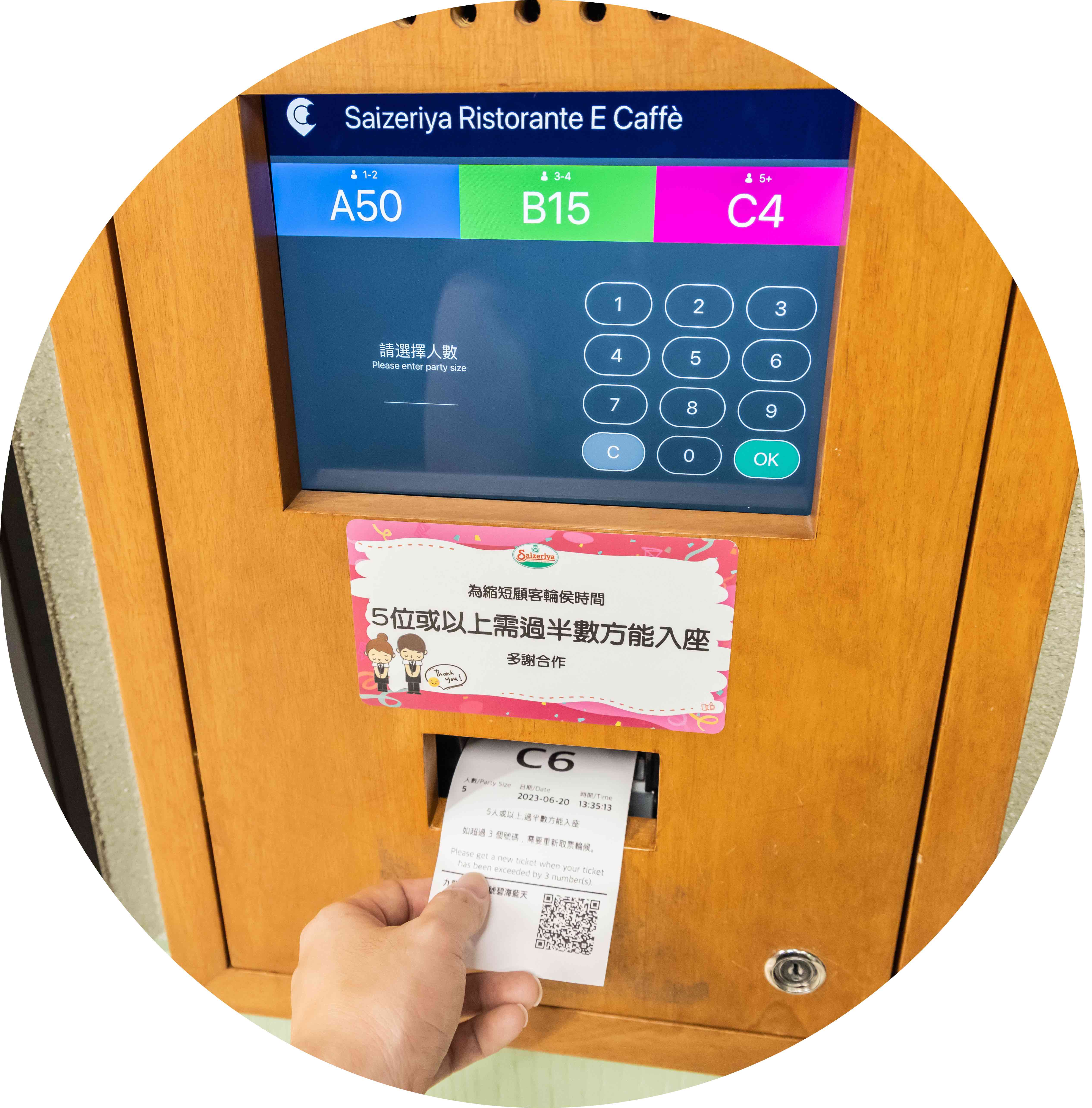
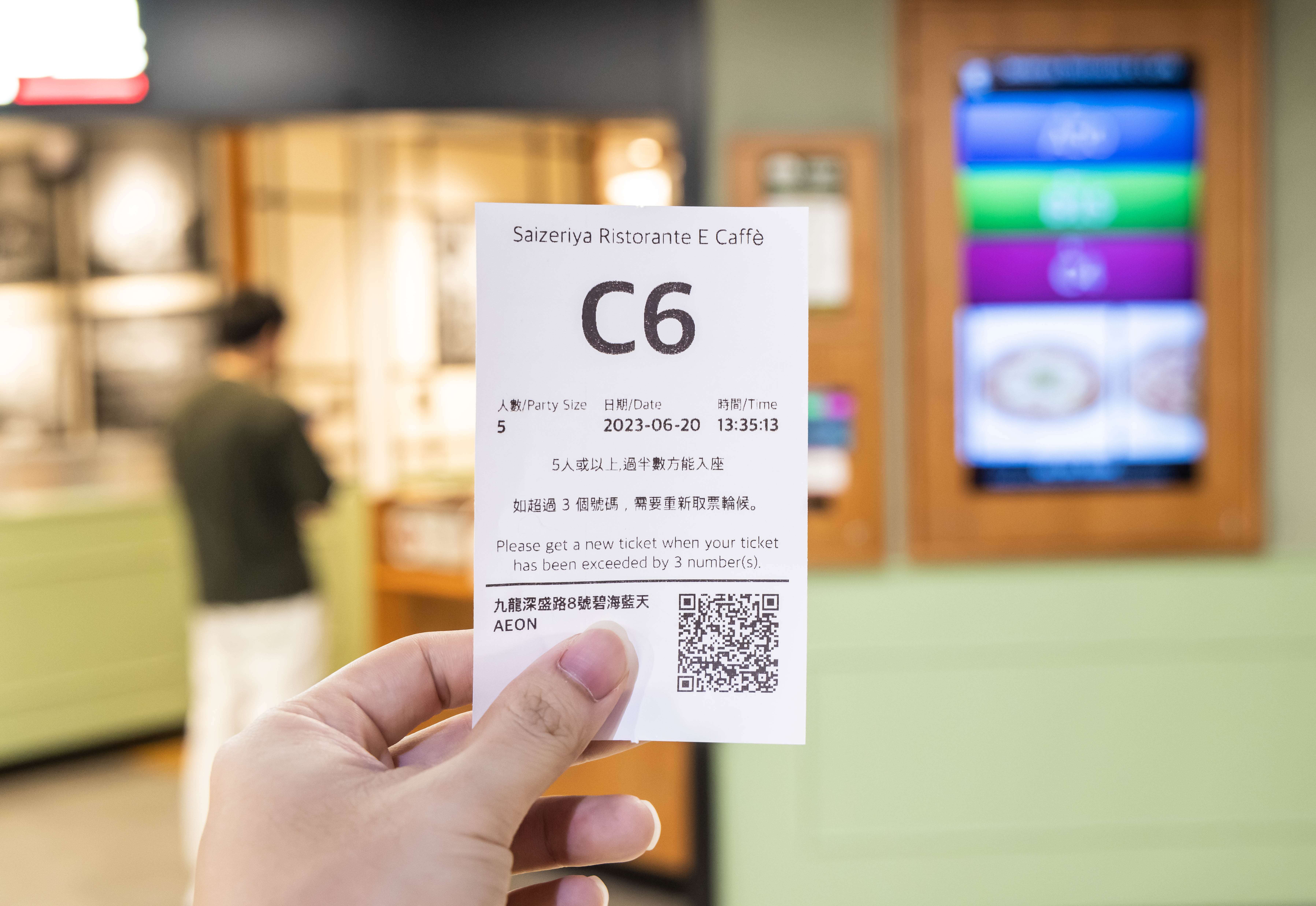
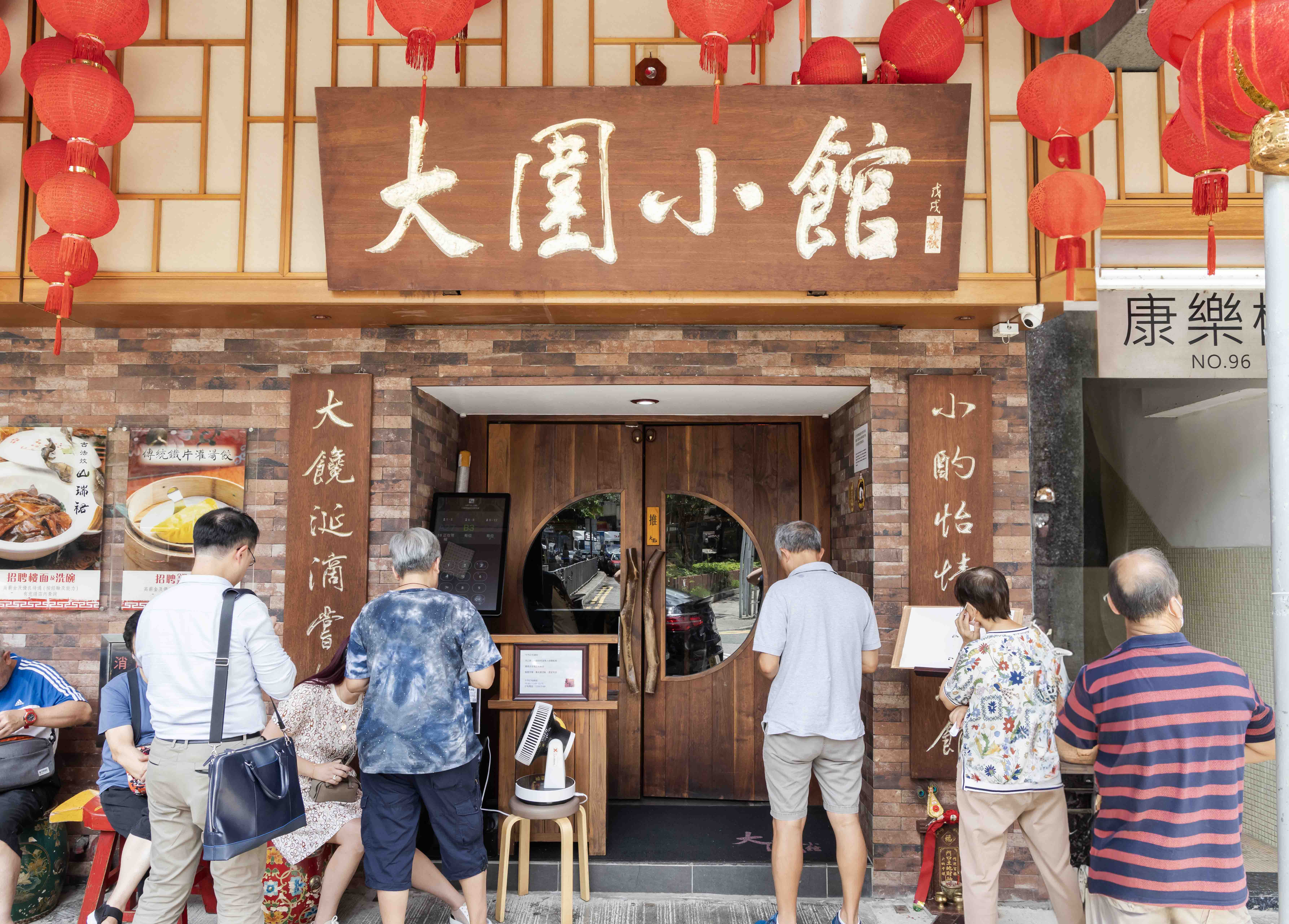
Every queue ticket printed from the Queue Kiosk comes with a scannable QR code. Customers can use their mobile devices to scan this code and know their queue status remotely, making it an efficient system for managing a number queue. With a less-crowded frontage, you won’t scare off new potential customers.
Queue Kiosk
Keep the Queue Moving So Your Revenue Doesn’t Grind to a Halt

While a long queue outside your restaurant might signal booming business, it could also appear disorganized and deter new customers from visiting. Using an iPad or Andriod Queue Kiosk as part of a queue management system, restaurants in Malaysia can efficiently manage wait times and ensure every table is quickly filled, keeping operations smooth and customers happy!
How a Queue Kiosk Can Help Your Manage Long Queues
The Same Great Features in a Form Factor You’ll Love
iPad Queue Kiosk
Android Queue Kiosk
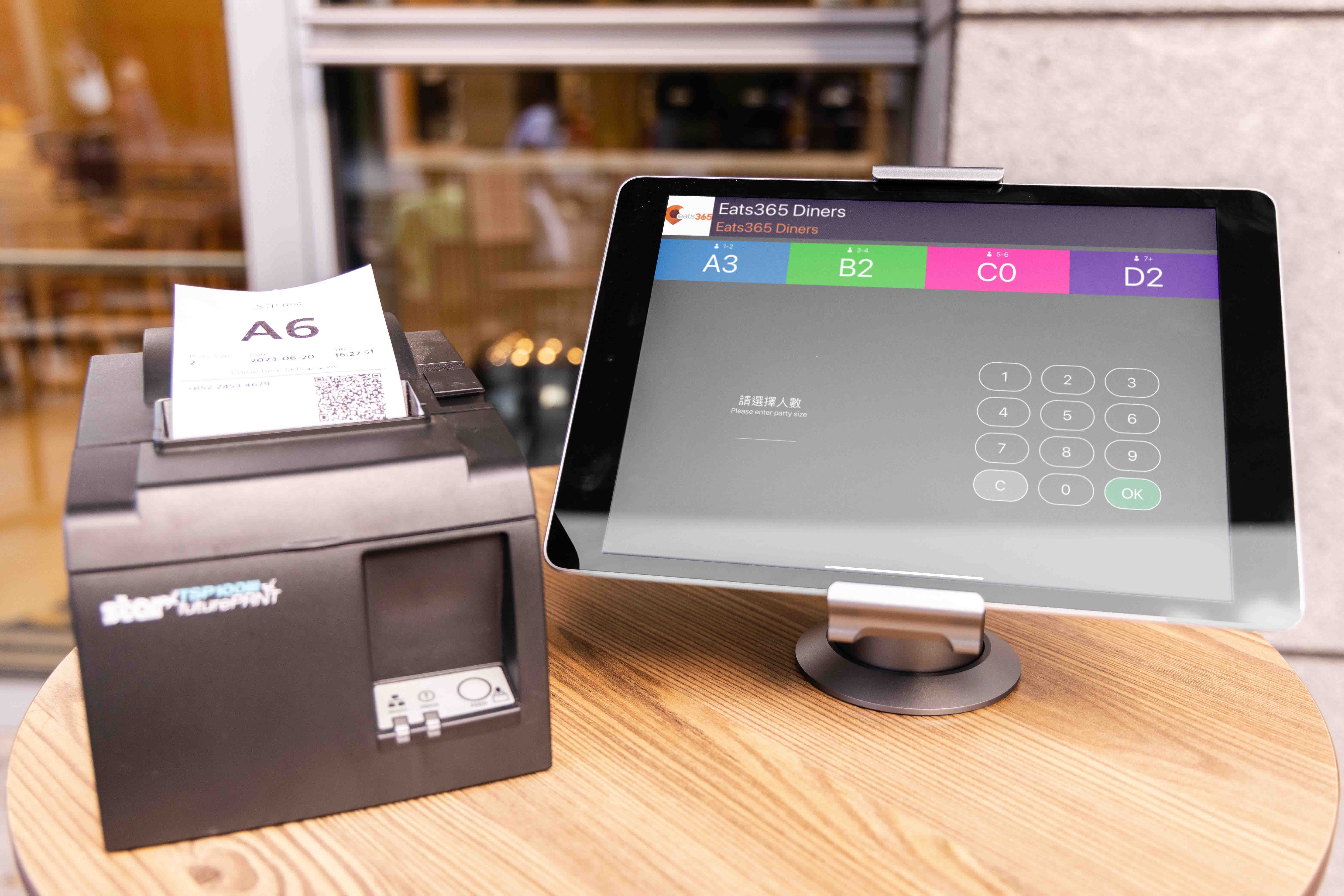
iPad Queue Kiosk
With an iPad Queue Kiosk, no matter if you’re a small mom & pop shop with minimal space, or a multi-floor restaurant, you can keep control of your queues as compactly as possible without sacrificing floorspace in the process. Even if you decide to renovate, you can add, remove or upgrade hardware like stands and ticket printers so your iPad Queue Kiosk easily fits in with your new look!
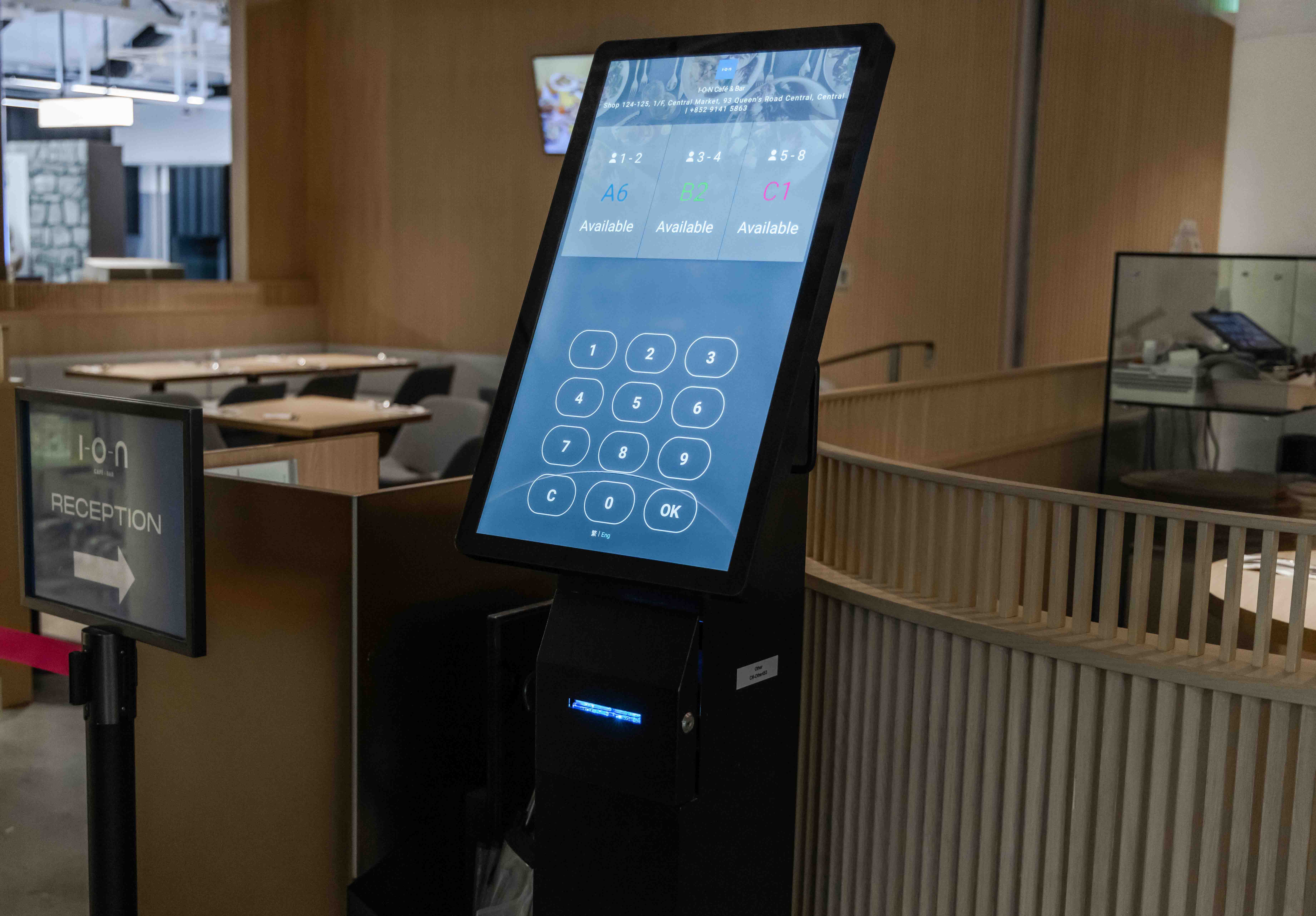
Android Queue Kiosk
An Android Queue Kiosk bundles all the hardware you need to effectively manage queues in a single device. With a built-in screen, ticket printer and queue status display, your customers will be able to get their queue tickets right from your Android Queue Kiosk and see their queue status.
Redefine the Queue by Digitizing It
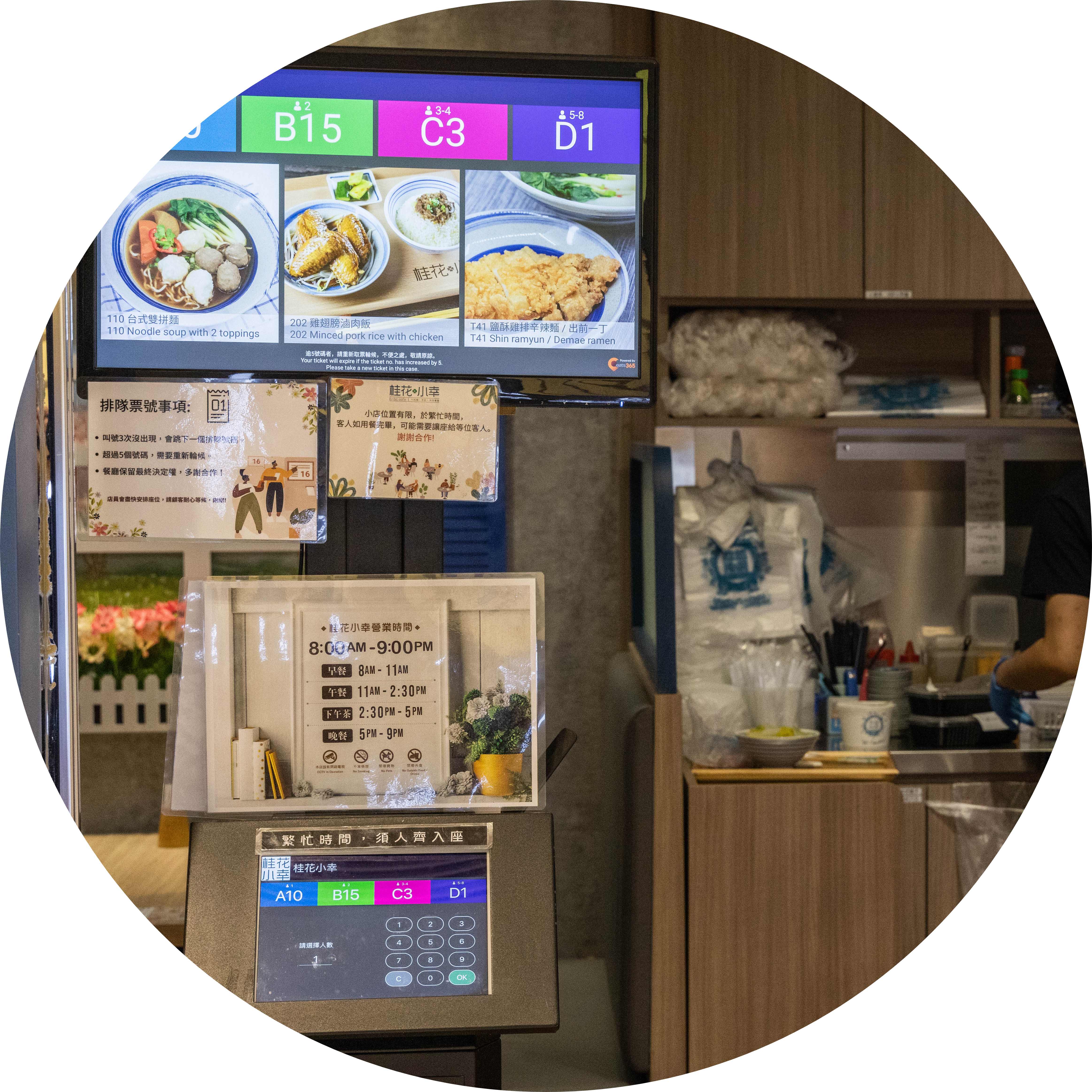
Get Rid of Poor Staff-Customer Communication
Let your customers collect their queue tickets in a matter of seconds from your Queue Kiosk. You won’t need to hire staff to manually write down queue numbers and yell them out anymore since the system will accurately keep track of everything for you. For extra clarity, utilize a Queue Display to clearly show which numbers are being called so your customers are always in the loop!
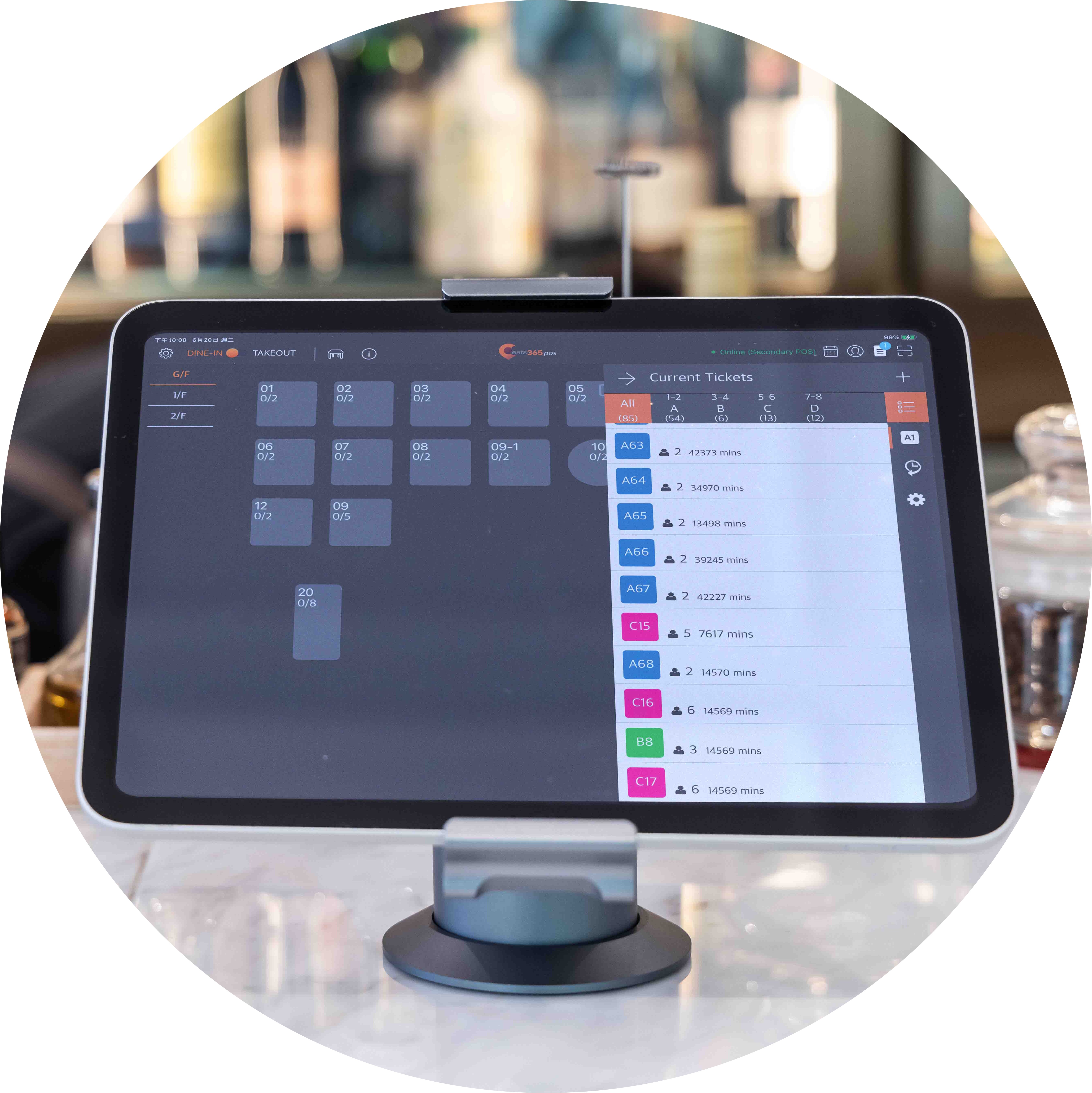
Customized Queue Ticket Party Size
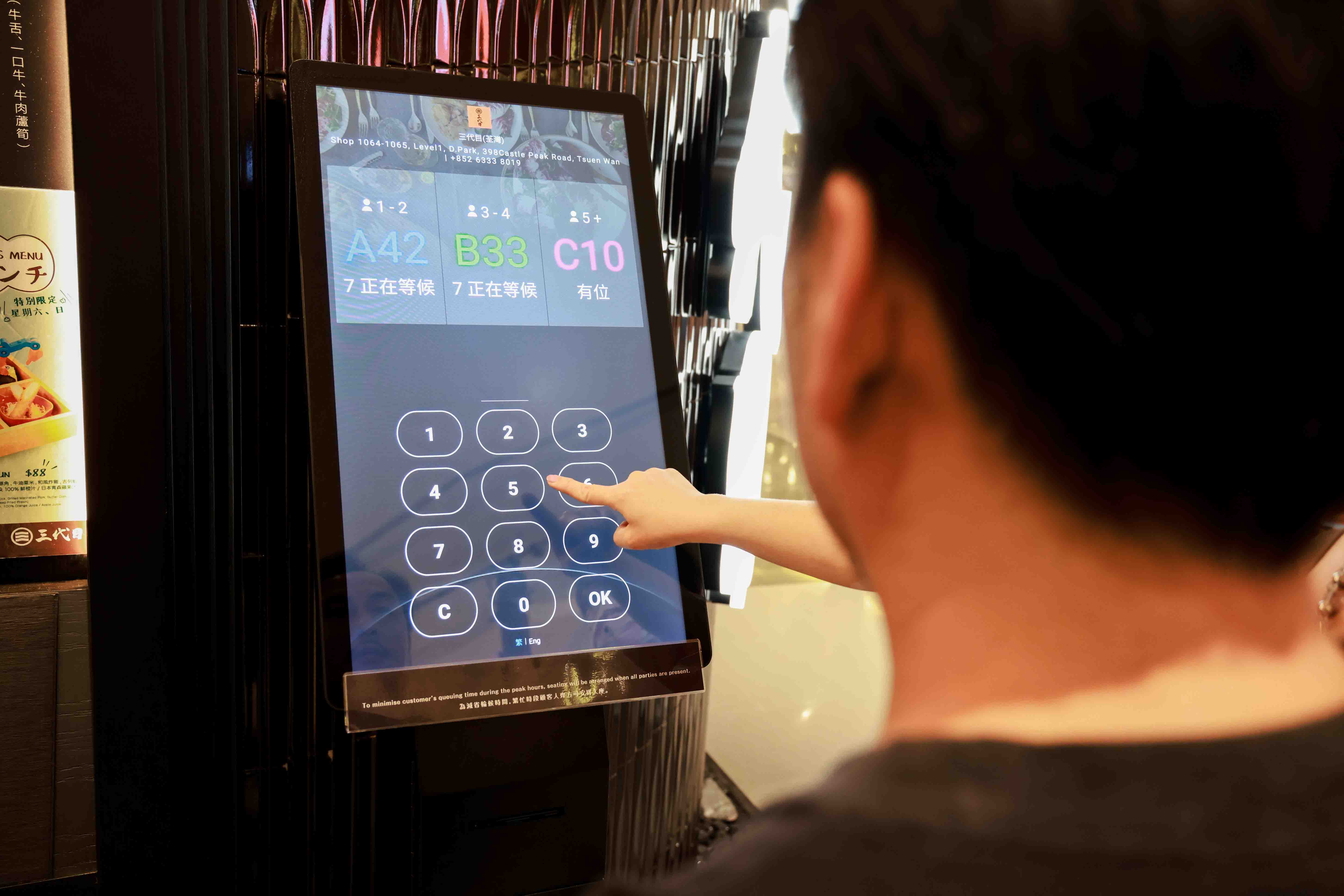
Not every restaurant has the same table layout. This means that you allocate seating based on your restaurant’s table size. By using a queue app, your restaurant can assign tickets based on the size of the customer's party, such as tables for two, four or larger groups. This helps your staff know exactly which table to prepare, ensuring a smooth and efficient seating process every time.
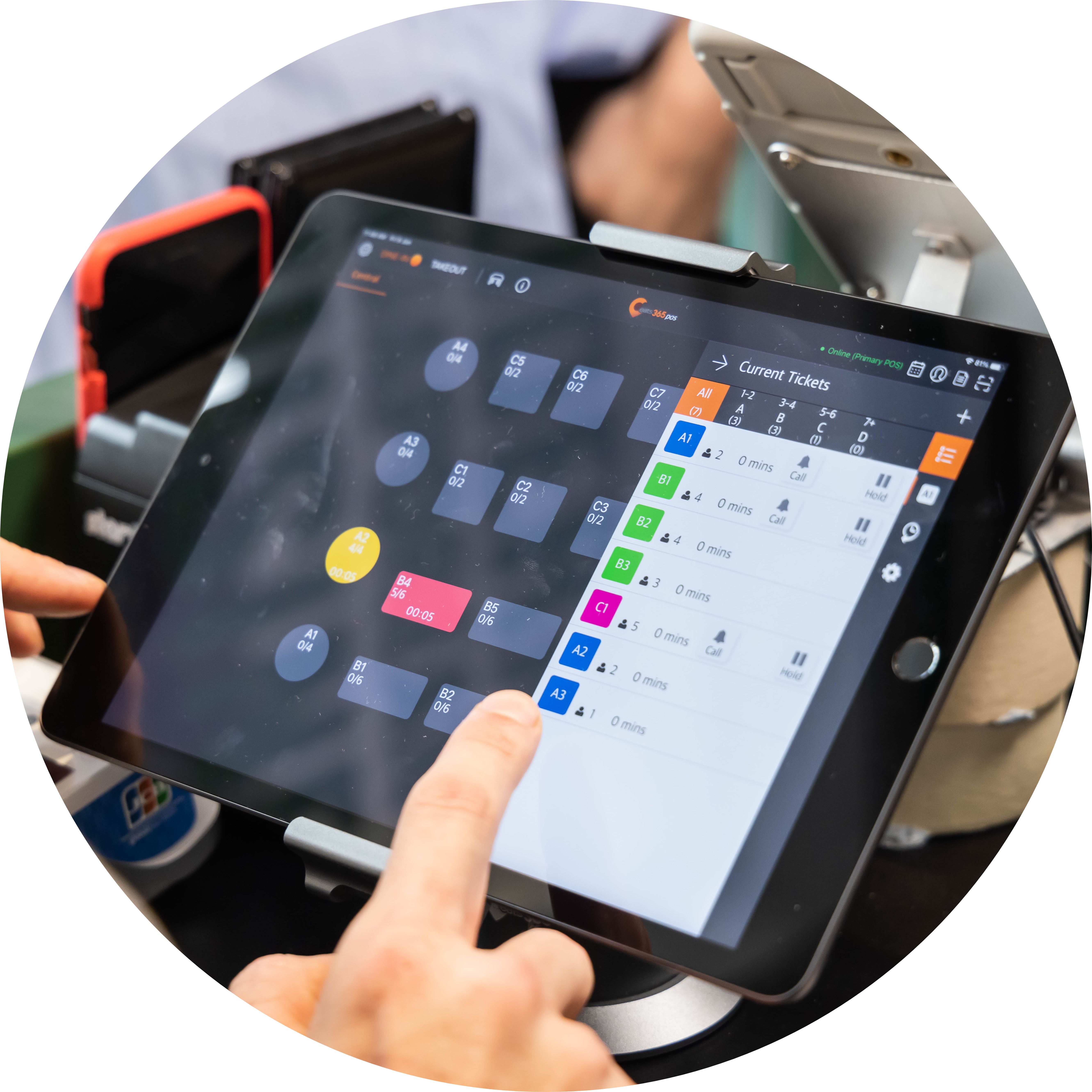
No More Ticket to Table Confusion

Knowing what table to assign to which waiting customers can be tricky for your staff. With a queue system designed for F&B, your team can easily view table statuses directly on your Eats365 POS software and call the correct queue number accordingly. With a full picture, not only will turnover be faster, but your customers will always arrive at a clean, ready table that’s the right size for their party.
Queue Kiosk Features Overview
Self-Service Queue Ticket Collection
 Customers can collect their own queue ticket
2-3 screen taps for the entire procedure
Takes into account party size
Customers can collect their own queue ticket
2-3 screen taps for the entire procedure
Takes into account party size

QR Code Remote Queue Tracking
Queue tickets print with QR code automatically
Customers can scan QR codes on their phones for queue updates
Reduces unnecessary queues around your restaurant frontage
Fully-Connected with Other Eats365 Modules
Call customers to be seated from the POS
Queue Display automatically updates with past and current queue numbers
iPad and Android Queue Kiosks both automatically sync information with other modules
Cloud tech helps automate small, repetitive tasks to save time
Clear Interface to Minimize Errors
Simple enough for anyone to use
Clear instructions for quick ticket collection
Self-Service Queue Ticket Collection
Customers can collect their own queue ticket
2-3 screen taps for the entire procedure
Takes into account party size
QR Code Remote Queue Tracking
Queue tickets print with QR code automatically
Customers can scan QR codes on their phones for queue updates
Reduces unnecessary queues around your restaurant frontage
Fully-Connected with Other Eats365 Modules
Call customers to be seated from the POS
Queue Display automatically updates with past and current queue numbers
iPad and Android Queue Kiosks both automatically sync information with other modules
Cloud tech helps automate small, repetitive tasks to save time
Clear Interface to Minimize Errors
Simple enough for anyone to use
Clear instructions for quick ticket collection
Queue Kiosk is Perfect for these Restaurant Types


Queue Kiosk is Part of the Following Solution


Restaurants Like Yours Love the Queue Kiosk
FAQ about Eats365 Queue Kiosk
1. What is a Queue Kiosk and how does it work?
A Queue Kiosk is a self-service ticket-dispensing station that allows customers to join a restaurant's waitlist independently. Customers input their party size and contact information at the kiosk to receive a printed or digital queue ticket, which then automatically syncs with the restaurant's master queue management system.
2. How does the Queue Kiosk notify customers when their table is ready?
The Queue Kiosk system can notify customers via SMS or automated alerts, allowing them to wait comfortably away from the entrance. Additionally, restaurants can pair the kiosk with eSignage displays to show real-time queue status and tickets currently being called.
3. Can customers check their position in line after leaving the kiosk?
Yes, customers can check their live queue status directly from their mobile devices. By scanning a QR code on their queue ticket, they can view how many parties are ahead of them without needing to ask staff for updates.
4. Does the Queue Kiosk integrate with the main POS system?
Yes, the Queue Kiosk is fully integrated with the Eats365 POS. This ensures that when a customer joins the queue via the kiosk, the data is instantly reflected on the host's tablet or POS terminal, allowing for seamless floor management and table assignments.
5. What hardware is required to set up a Queue Ticket Kiosk?
To set up a Queue Ticket Kiosk, you typically need a compatible tablet (such as an iPad) and a supported receipt printer for physical tickets. The system is managed through the Eats365 POS app, where queuing settings can be enabled and customized under the 'Queuing' configuration menu.
Learn More about How the Queue Kiosk Can Help Your Restaurant Manage Queues

Tackling Malaysia’s F&B Manpower Shortage with Smart Solutions
 20 Jun 2025

Facing long queues and stressed staff? Malaysia's F&B manpower shortage is a critical challenge. This article unpacks the causes and provides actionable strategies to help your business overcome it.
F&B Trends
Foodtech
Read More
What Is a Cloud Kitchen? Essential Tips to Maximize Your Cloud Kitchen Sales!
18 Apr 2025
Ever dreamt of owning a restaurant in Malaysia, but the upfront costs seem daunting? Cloud kitchens could be your answer! This article dives into how these virtual restaurants are offering a lower-risk entry point into the booming food delivery market.
F&B Trends
Read More

6 Affordable Ways to Open a Small Cafe
23 Sep 2025
Worried opening a small cafe in Malaysia costs a fortune? This guide unveils six affordable and creative ways that solve budget challenges for your dream coffee spot!
F&B Entrepreneurship
Read More
