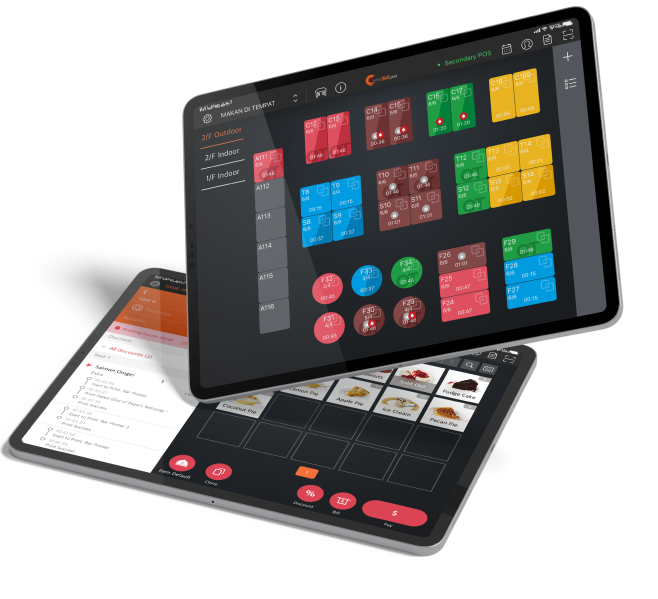
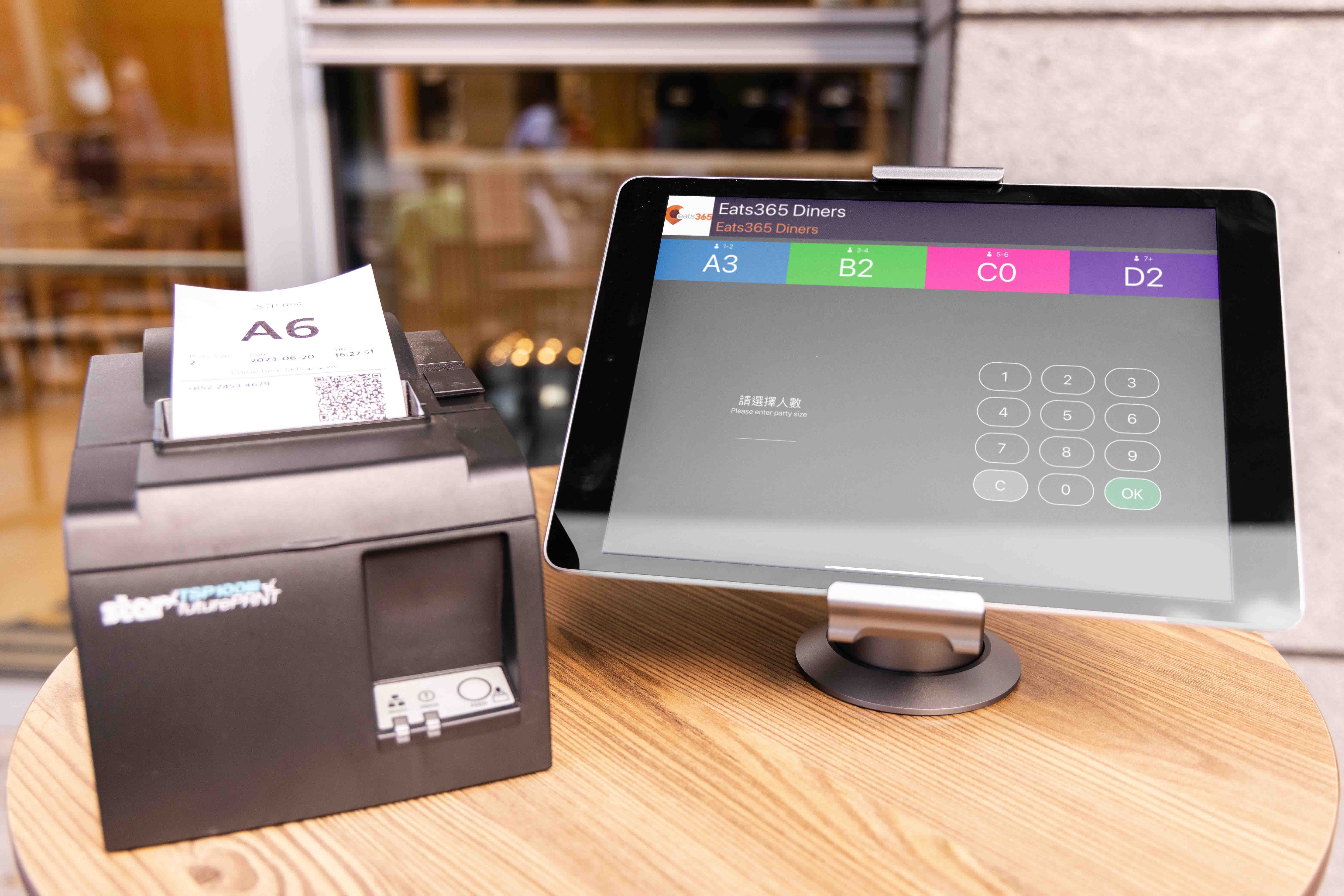
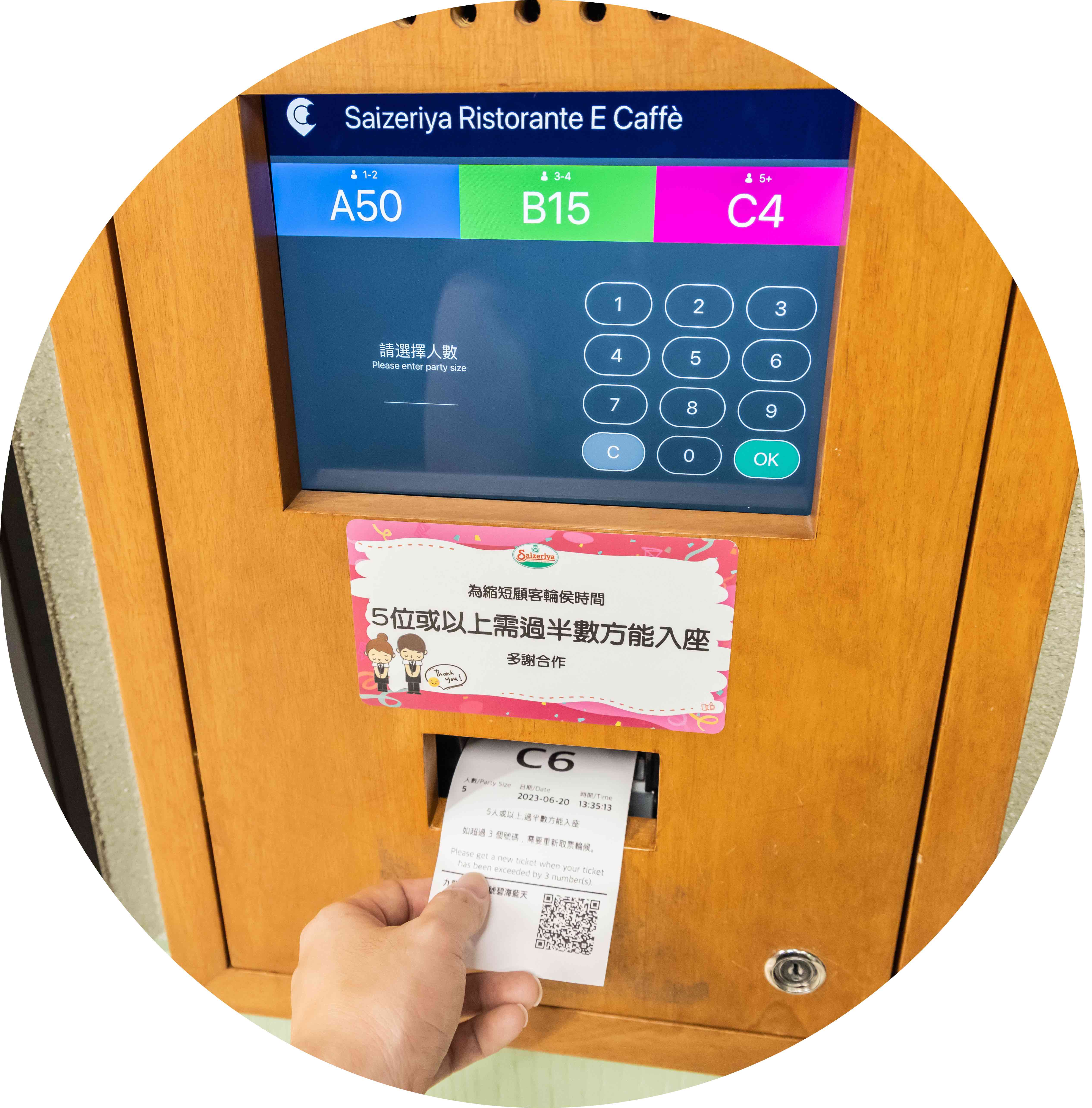
每個排隊票券都印有可掃描的 QR code。顧客用手機直接掃碼,儘管不在現場等候,也能知道排隊狀況,讓餐廳門口流暢的空間動線,成功吸引更多顧客進門用餐!
自助排隊取票機
智慧管理排隊人潮,候餐流程更簡單!
不需人工叫號及帶位,「Eats365 iPad 自助排隊機」協助顧客掌握排隊狀況,能依照取餐號碼自取餐點,第一時間入座。打造排隊友善的餐廳,節省外場人力。

「Eats365 自助排隊機」打造高效排隊動線!
iPad 自助排隊機
Android 自助排隊機
iPad 自助排隊機
無論是店面狹小的雜貨店、多樓餐廳,Eats365 iPad 自助排隊機幫助你有效分配資源,規劃流暢的排隊動線。即使餐廳重新裝潢,你也可以添加支架、升級出單機等硬體設備,推出符合品牌的全新形象!
Android 自助排隊機
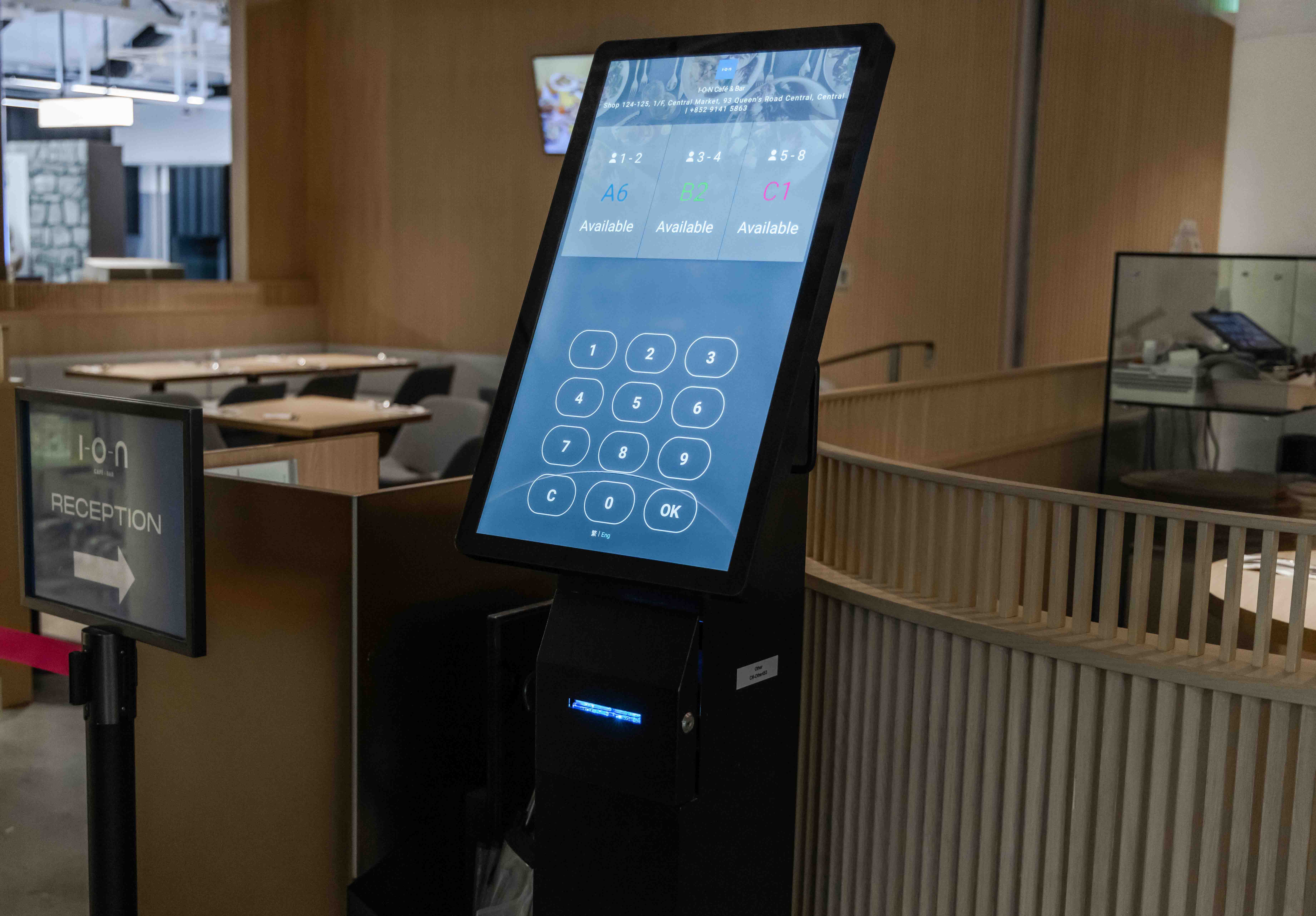
只要「Android 自助排隊機」一機涵蓋所有排隊管理的裝置,透過內建螢幕,整合出單機與候位螢幕,消費者能夠從自助排隊機直接領取號碼,掌握候位狀況。
用數位科技重新定義排隊體驗
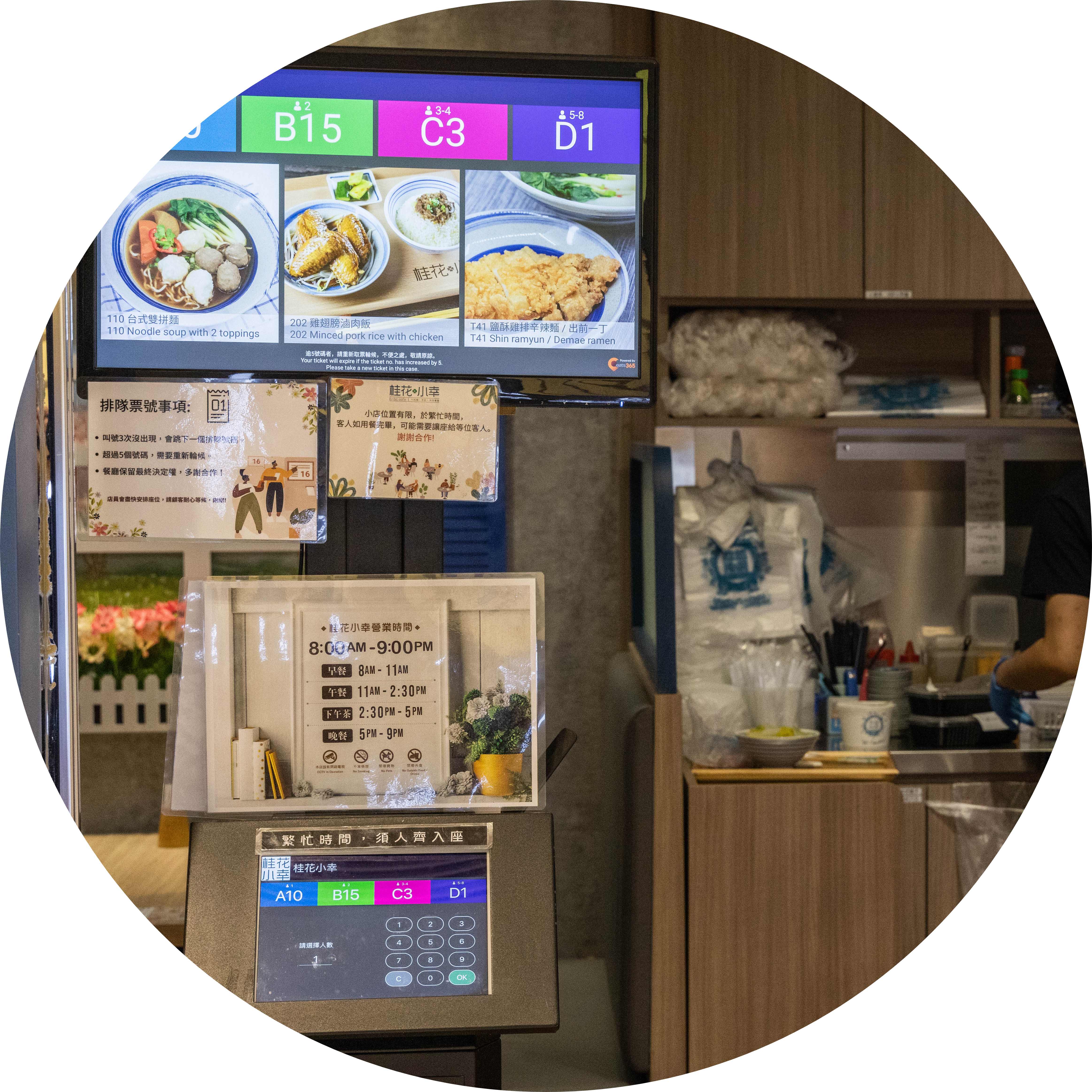
解決員工與顧客之間的溝通不良
讓顧客不花一秒鐘從自助排隊機取得候位號碼,省下外場同仁手寫等候號碼、大聲呼喊顧客。自助排隊機自動記錄顧客需求、規劃排隊動線,也可搭配「排隊顯示器」呈現取餐或入座號碼,顧客更容易掌握候位與點餐節奏。
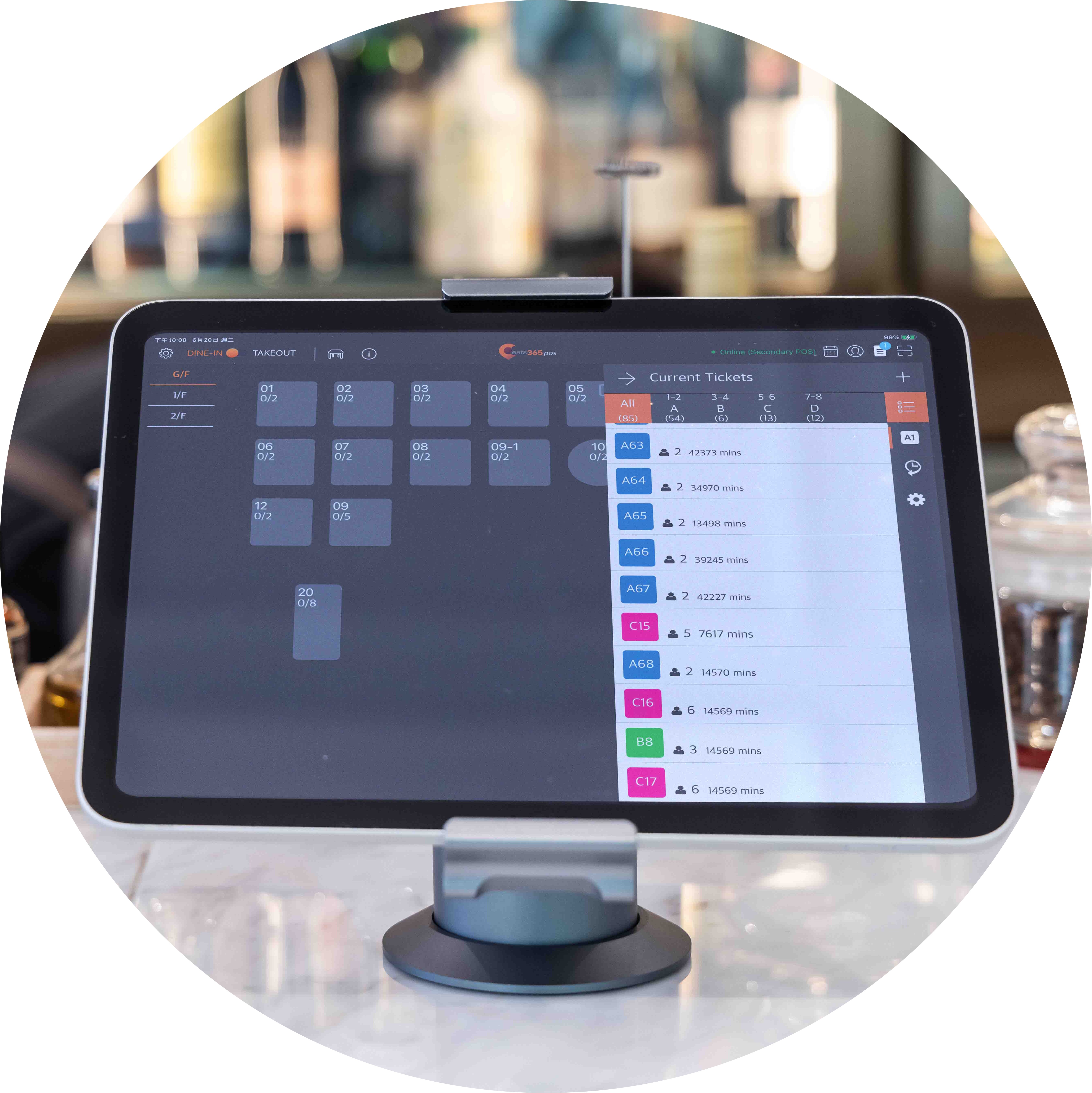
符合桌位的客製化設定
每間餐廳都有自己的桌位配置,並會根據用餐人數安排桌位。您的餐廳是否有根據不同用餐人數提供不同的桌位大小呢?「自助排隊機」會根據排隊顧客用餐人數發放不一樣的排隊票券,讓員工輕鬆帶位。
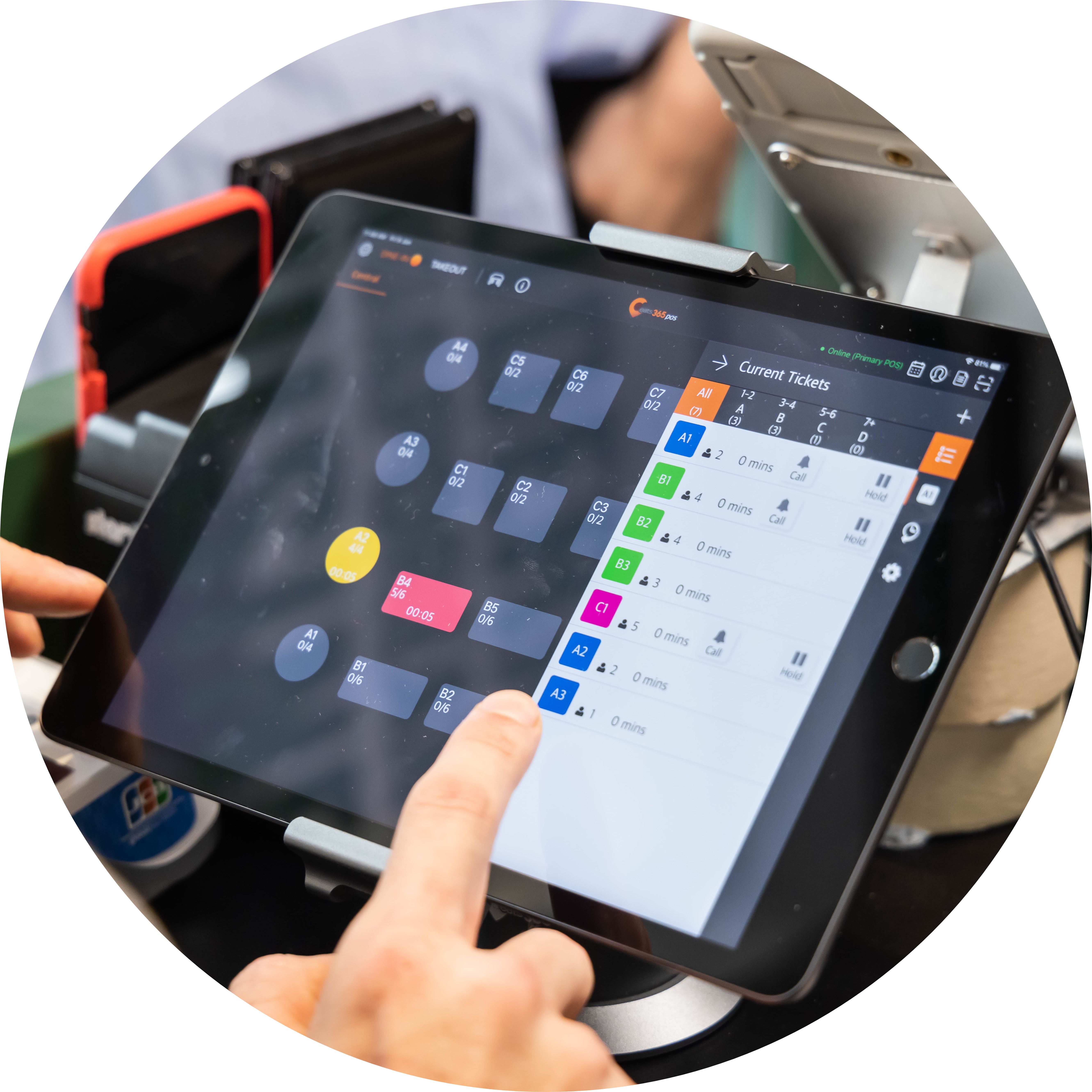
帶位入座不再手忙腳亂
為顧客妥善安排桌位對員工來說不是一件簡單的事情。在 Eats365 POS 系統直接瀏覽桌況,並邀請正確的候位顧客入座。員工清楚掌握整體桌況時,不僅可以加快翻桌率,更能確保各個桌位都已經整理過並準備好,並根據桌位大小迎接最適合的用餐顧客。
「自助排隊機」功能全覽
自助取票機
 顧客可以自助索取排隊票券
簡易操作,點擊兩、三下就完成排隊登記
可根據用餐人數設定不同票券
顧客可以自助索取排隊票券
簡易操作,點擊兩、三下就完成排隊登記
可根據用餐人數設定不同票券

遠端掃碼,掌握排隊現狀
自助排隊機自動列印具有 QR code 的排隊票券
顧客直接掃碼即可用手機查看排隊現狀
有效減少不必要的排隊人潮
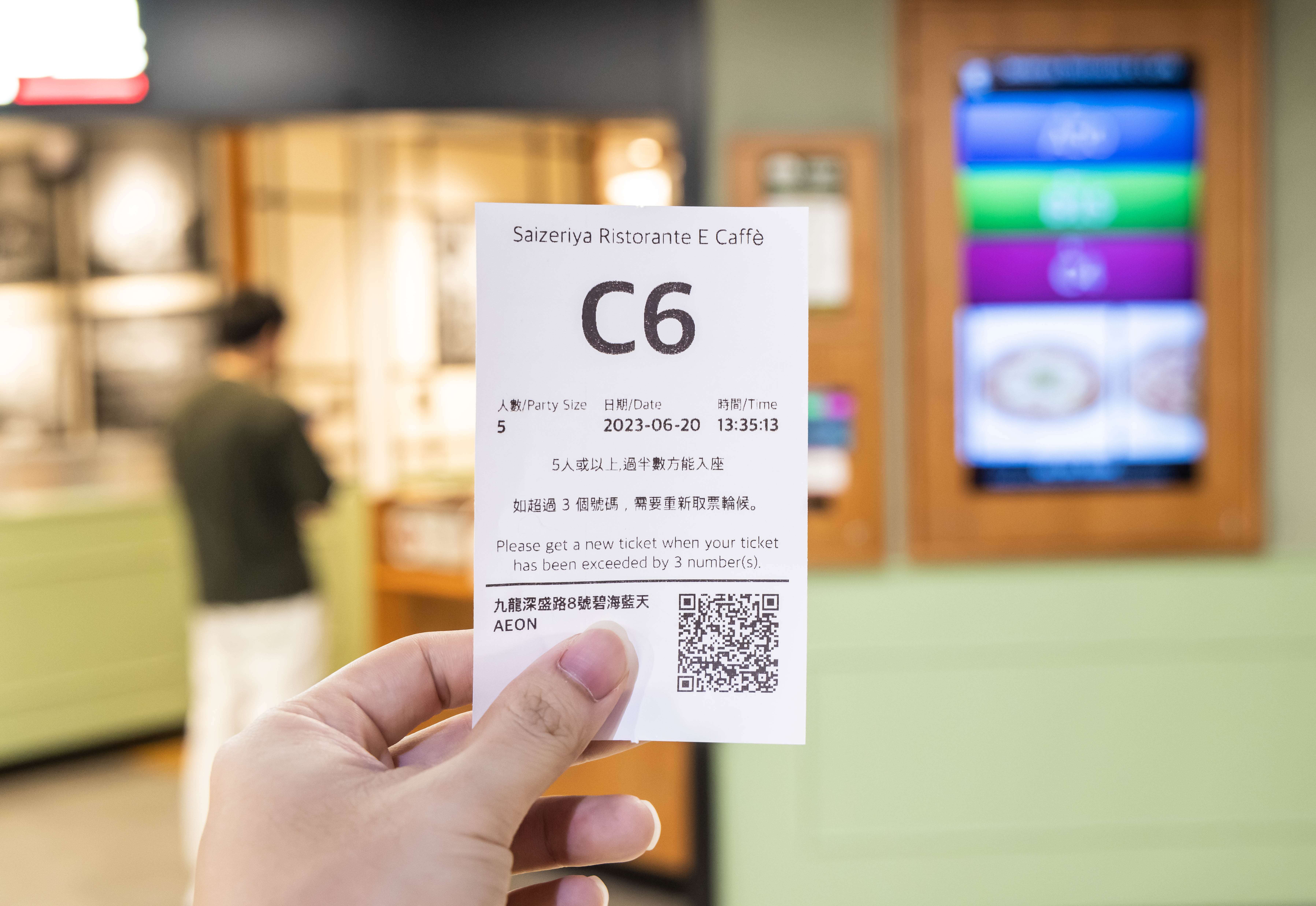
與其他 Eats365 模組完全整合
直接操作 POS 機進行入座叫號
排隊顯示器自動更新並顯示過號與等待號碼
自助排隊機資訊自動與其他模組進行同步
雲端科技支援的自動化流程節省時間,簡化瑣碎、重複性高的事項

乾淨介面,減少錯誤
適合所有人使用的簡單介面
清楚指引協助快速取票
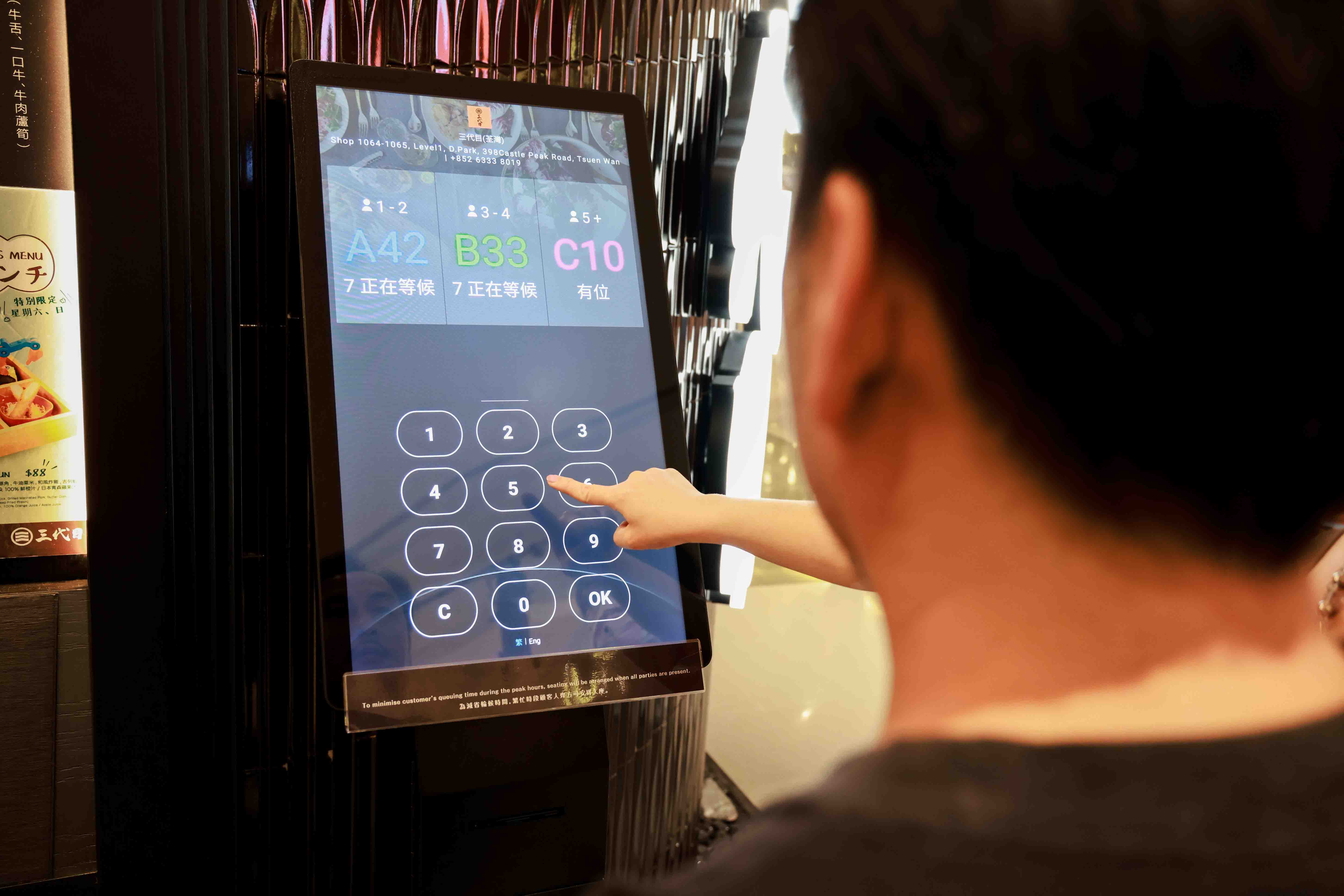
自助取票機
顧客可以自助索取排隊票券
簡易操作,點擊兩、三下就完成排隊登記
可根據用餐人數設定不同票券
遠端掃碼,掌握排隊現狀
自助排隊機自動列印具有 QR code 的排隊票券
顧客直接掃碼即可用手機查看排隊現狀
有效減少不必要的排隊人潮
與其他 Eats365 模組完全整合
直接操作 POS 機進行入座叫號
排隊顯示器自動更新並顯示過號與等待號碼
自助排隊機資訊自動與其他模組進行同步
雲端科技支援的自動化流程節省時間,簡化瑣碎、重複性高的事項
乾淨介面,減少錯誤
適合所有人使用的簡單介面
清楚指引協助快速取票
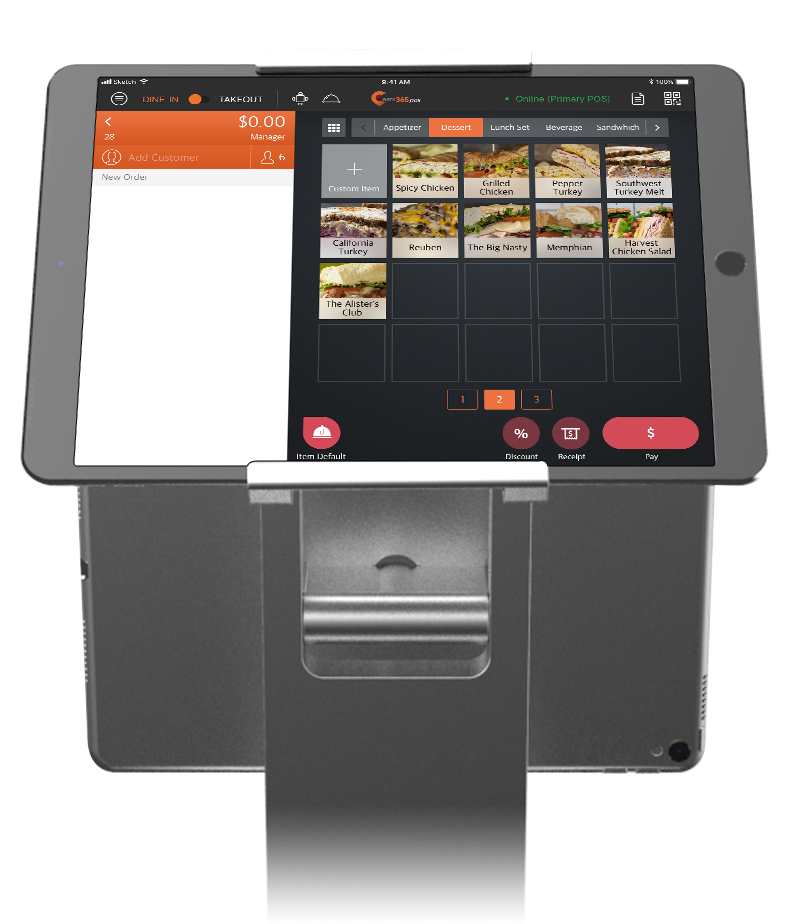


餐廳老闆強力推薦

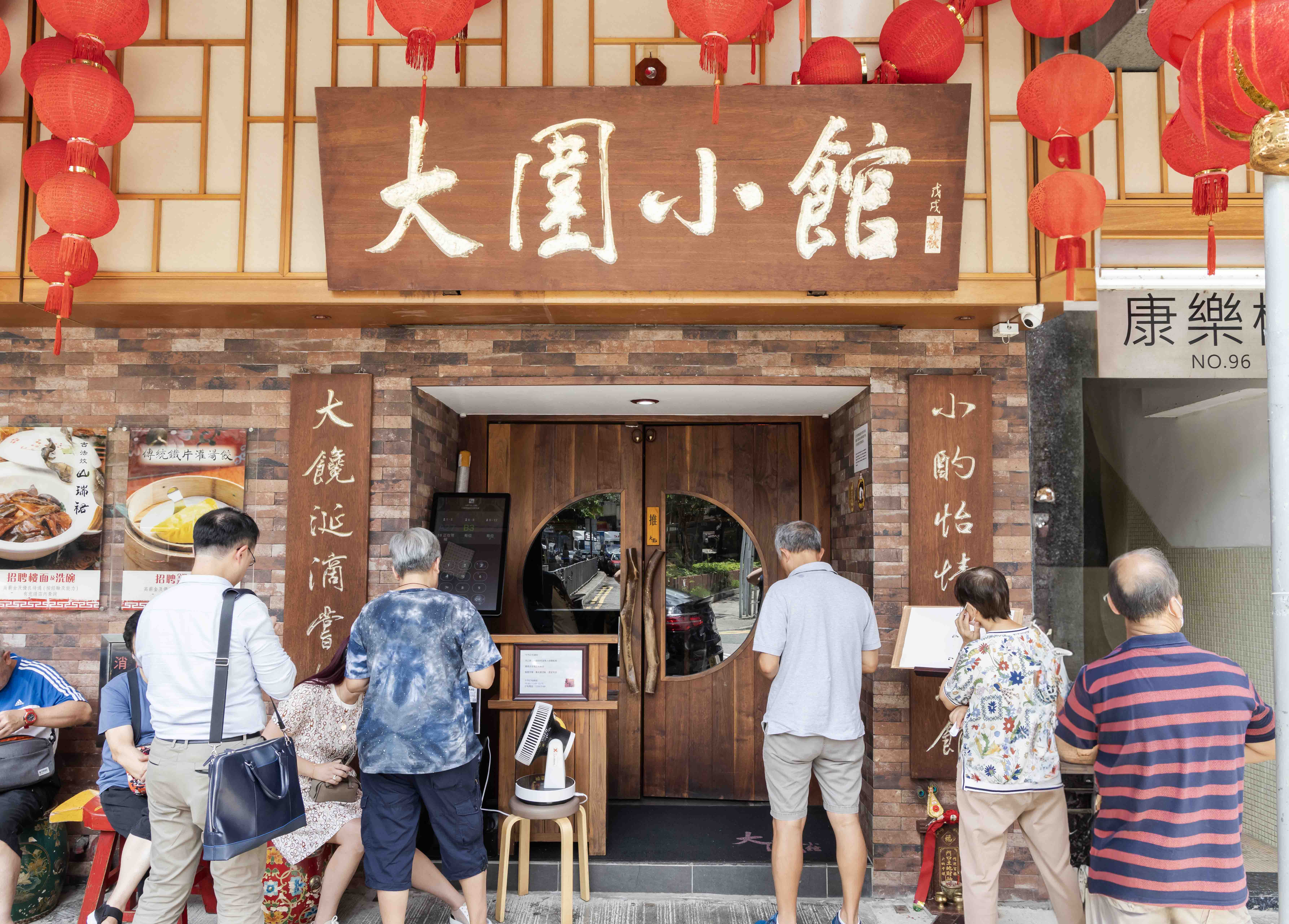
Eats365 自助排隊取票機 相關常見問題
1. 自助排隊取票機如何提升餐廳排隊效率?
自助排隊取票機可讓顧客自行輸入人數並取得號碼牌,免除人工登記流程。系統會根據用餐人數自動分類,並與 Eats365 POS 的餐檯管理系統即時同步,幫助員工精準掌握現場桌況並快速帶位,有效提升翻桌率。
2. 顧客取完排隊票後,還需要在現場等候嗎?
不用,Eats365 自助排隊機印製的票券附有 QR Code,顧客只需用手機掃描,即可隨時遠端查看最新的排隊進度和剩餘候位人數,讓顧客能自由在附近活動,減緩顧客不滿的情緒。
3. Eats365 自助排隊機如何處理不同人數的入座安排?
您可以透過Eats365系統,根據不同用餐人數進行分組(例如 A、B、C 組),並可依據餐廳的桌位配置自動發放對應的票券類別,這能確保帶位員根據桌位類型(如兩人桌或大圓桌)快速對應合適的候位顧客,優化空間利用。
4. 餐廳要如何通知排隊顧客入座?
餐廳員工可直接透過 Eats365 POS 系統進行叫號,自助排隊機與現場的排隊顯示器會同步呈現最新號碼,並可搭配語音廣播通知顧客,減少服務人員來回確認與大聲喊號的負擔。
5. Eats365 自助排隊系統可以自定義叫號內容或版面嗎?
可以,Eats365 自助排隊機結合顯示螢幕,除了呈現排隊資訊外,還能作為廣告播放器,您可以自定義在螢幕上顯示餐廳的菜單影片、照片或優惠訊息,在顧客候位時強化品牌宣傳。
了解自助排隊機如何提升用餐體驗
自助點餐機(kiosk)是什麼、怎麼挑?台灣餐廳評估指南2026最新版
 09 Apr 2026

各位老闆們是否也正經歷缺工、人事成本飆高、訂單錯誤等營運痛點?那您可能可以理解為什麼有越來越多的店家開始導入自助點餐機了,這篇就帶您一起看看自助點餐機是否也適合您的營運需求,以及應該從哪些方面進行評估!
餐廳經營
閱讀更多
【提高翻桌率】五個準則!餐廳翻桌率計算方式與如何提高?
07 Nov 2024
想必所有的餐廳老闆們都聽過翻桌率,翻桌率越高,意味著餐廳能在相同的營業時間內服務更多的顧客、創造更高營收。但翻桌率並不僅是加快顧客用餐速度,更牽涉到餐廳整體的營運效率,本篇文章我們來討論有哪些情境會拉低您的翻桌率,以及能夠如何改善!
餐廳經營
顧客經營
閱讀更多

Google商家上的餐廳負評該怎麼處理?五大地雷絕對不要踩!
11 Feb 2026
Google地圖上的公開評論對餐廳來說是免費的宣傳,但水可載舟亦可覆舟,沒有經過妥善處理的負評也可能瞬間變成餐飲業者們的噩夢,這次我們就來聊聊如何應對這些負評產生的公關危機吧!
顧客經營
餐廳行銷
閱讀更多