พนักงานไม่ต้องใช้ใบออเดอร์กระดาษยับๆ อีกต่อไป ดูและจัดการออเดอร์ได้บน iPad หรือแท็บเล็ตโดยตรง เช็กรายการอาหารง่ายขึ้น ผิดพลาดน้อยลง ทุกจานถูกต้องและครบถ้วน
ระบบจัดการการเสิร์ฟอาหาร
ช่วยพนักงานจัดอาหารเช็กออเดอร์ได้ครบ เสิร์ฟถูกจาน ไม่ตกหล่น
ลูกค้าแต่ละคนต้องได้อาหารที่ถูกต้อง นี่คือหัวใจของประสบการณ์ทานอาหารที่ดี เมื่อพนักงานจัดอาหารเห็นรายละเอียดออเดอร์ชัดเจน ลูกค้าก็จะได้อาหารที่ถูกต้องและตรงเวลา

ระบบจัดการการเสิร์ฟช่วยให้จัดอาหารถูกต้องได้อย่างไร?
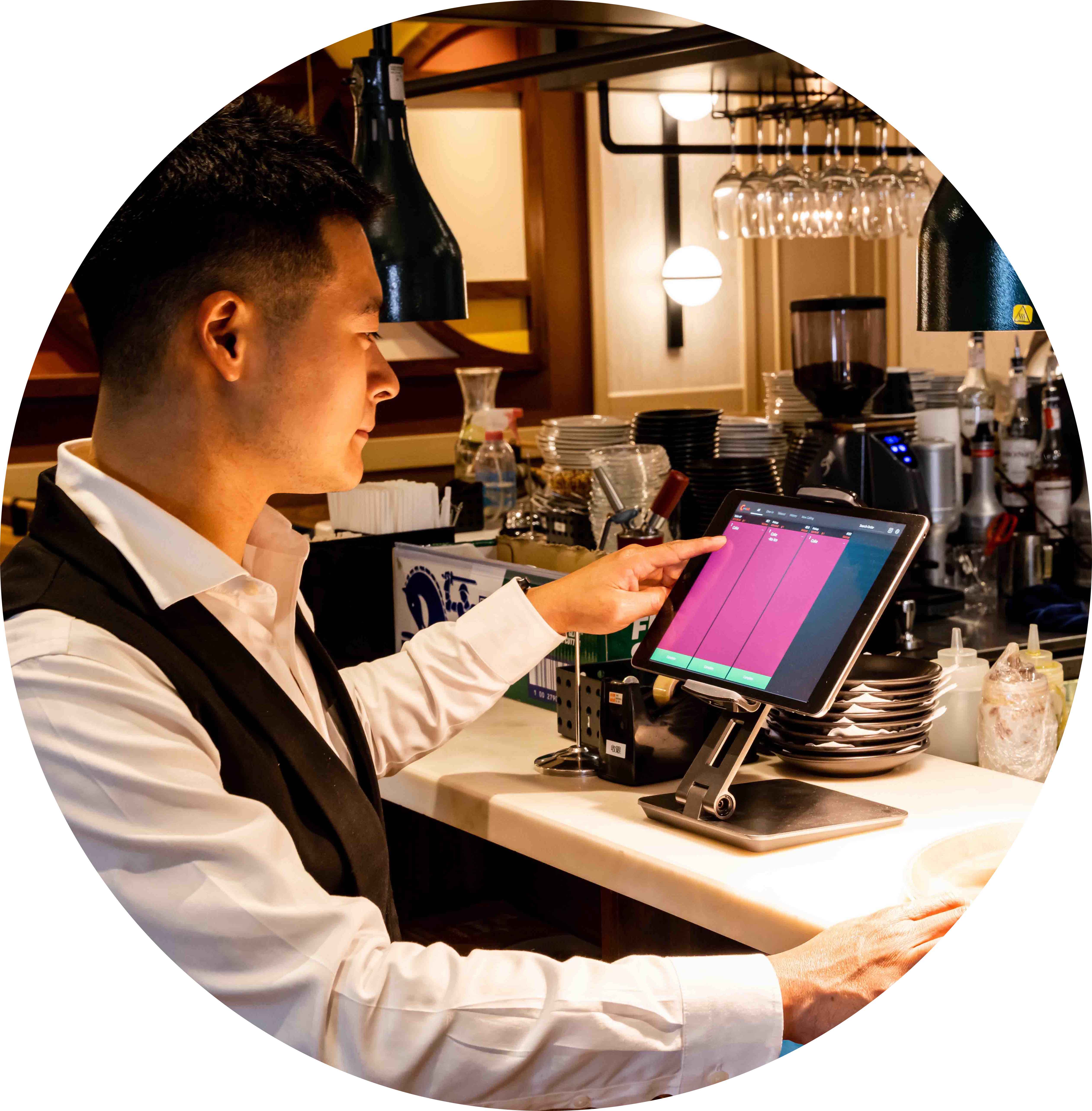
ขั้นตอนเป็นระบบ จัดอาหารได้เร็วขึ้น

ลูกค้ารออาหารน้อยลง
ถ้าแพ็กอาหารช้า ลูกค้าก็อาจได้อาหารที่เย็นชืด ระบบจัดการการเสิร์ฟช่วยให้พนักงานเห็นสถานะออเดอร์ทั้งหมดชัดเจน ทำงานเร็วและลื่นไหลขึ้น ผู้จัดการยังดูข้อมูลเพื่อนำไปปรับปรุงได้ ลูกค้าจึงได้ทานอาหารร้อนๆ เร็วขึ้น
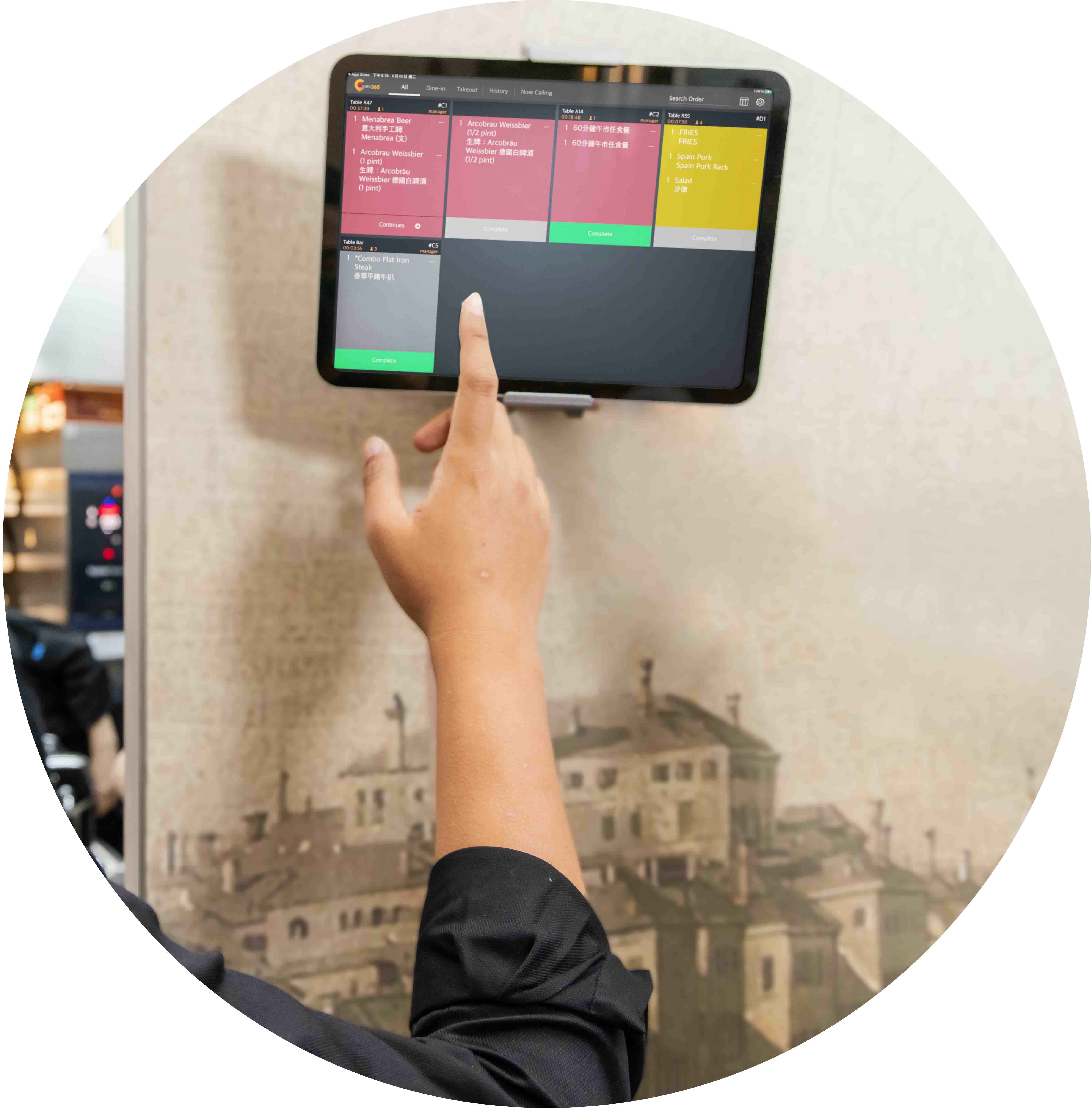
หน้าร้านกับครัวทำงานประสานกัน ร้านเดินได้ราบรื่น
เมื่อหน้าร้านกับครัวเชื่อมต่อกัน ร้านจะทำงานได้คล่องขึ้นมาก ใช้โมดูลหน้าร้าน (เช่น Eats365 POS, จอเรียกคิว, เครื่องเรียกคิว) คู่กับโมดูลครัว (เช่น จอจัดการการเสิร์ฟ, จอครัว (KDS)) ขั้นตอนต่างๆ จะทำงานอัตโนมัติ ข้อมูลออเดอร์ซิงค์ถึงกันทันที ทีมงานสื่อสารกันไม่สะดุด และแจ้งลูกค้าได้ชัดเจน ทุกจานจึงออกไปอย่างถูกต้อง
ฟีเจอร์หลักของระบบจัดการการเสิร์ฟอาหาร
จัดการออเดอร์ทั้งหมดจากที่เดียว
 รวบรวมออเดอร์ทั้งหมดไว้ในแพลตฟอร์มเดียว ช่วยให้การจัดการออเดอร์เป็นเรื่องง่าย
ออเดอร์ที่เสร็จสิ้นจะถูกบันทึกไว้ในประวัติการขาย คุณจึงสามารถตรวจสอบและค้นหาออเดอร์ได้อย่างสะดวก
ดูประวัติออเดอร์ย้อนหลังได้ครบ และเรียกออเดอร์เก่ากลับมาดูได้
รวบรวมออเดอร์ทั้งหมดไว้ในแพลตฟอร์มเดียว ช่วยให้การจัดการออเดอร์เป็นเรื่องง่าย
ออเดอร์ที่เสร็จสิ้นจะถูกบันทึกไว้ในประวัติการขาย คุณจึงสามารถตรวจสอบและค้นหาออเดอร์ได้อย่างสะดวก
ดูประวัติออเดอร์ย้อนหลังได้ครบ และเรียกออเดอร์เก่ากลับมาดูได้

รายละเอียดออเดอร์ที่แม่นยำ
ดูรายละเอียดของแต่ละออเดอร์ได้อย่างแม่นยำ
แสดงจำนวนของแต่ละเมนู
แสดงหมายเลขโต๊ะของแต่ละรายการ

ออกแบบมาเพื่อเสิร์ฟให้เร็ว
แสดงเวลาที่อาหารปรุงเสร็จ
รายการอาหารแต่ละรายการจะถูกทำเครื่องหมายไว้อย่างชัดเจนเมื่อปรุงเสร็จ
ออเดอร์จะเปลี่ยนสีตามเวลาที่ลูกค้ารอ
* บริการจัดส่งอาหาร (Delivery) กำลังจะเปิดตัวเร็วๆ นี้

เรียกคิวรับอาหารอัตโนมัติด้วยจอเรียกคิว
เมื่อออเดอร์เสร็จสมบูรณ์ ระบบจะเรียกคิวรับอาหารทันที
ออเดอร์ที่ทำเสร็จจะขึ้นบนจอเรียกคิวรับอาหารโดยอัตโนมัติ
ใช้งานร่วมกับจอเรียกคิวรับอาหาร (Pickup Display) ได้

เชื่อมต่อกับระบบอื่นของ Eats365
เชื่อมต่อกับระบบอื่นๆ ของ Eats365 ทีมงานสื่อสารกันได้ลื่นไหลขึ้น
เชื่อมต่อครัวและหน้าร้านได้อย่างไร้รอยต่อ ทำให้พนักงานสามารถเสิร์ฟอาหารถึงมือลูกค้าได้ทันที

พิมพ์ใบจัดอาหาร (Expeditor Ticket)
พิมพ์ใบจัดอาหารสำหรับออเดอร์ทานที่ร้าน ซื้อกลับบ้าน และจัดเลี้ยง (Catering)
แสดงเลขออเดอร์ ประเภทบริการ และชื่อสถานีครัวบนใบ
เพิ่ม QR Code สำหรับสแกน หมายเหตุออเดอร์ และคำขอช้อนส้อม
พิมพ์ใบได้สองภาษา เหมาะกับทีมงานหลายสัญชาติ
รวมรายการที่เหมือนกัน และเลือกรูปแบบการแสดงชุดเมนูได้
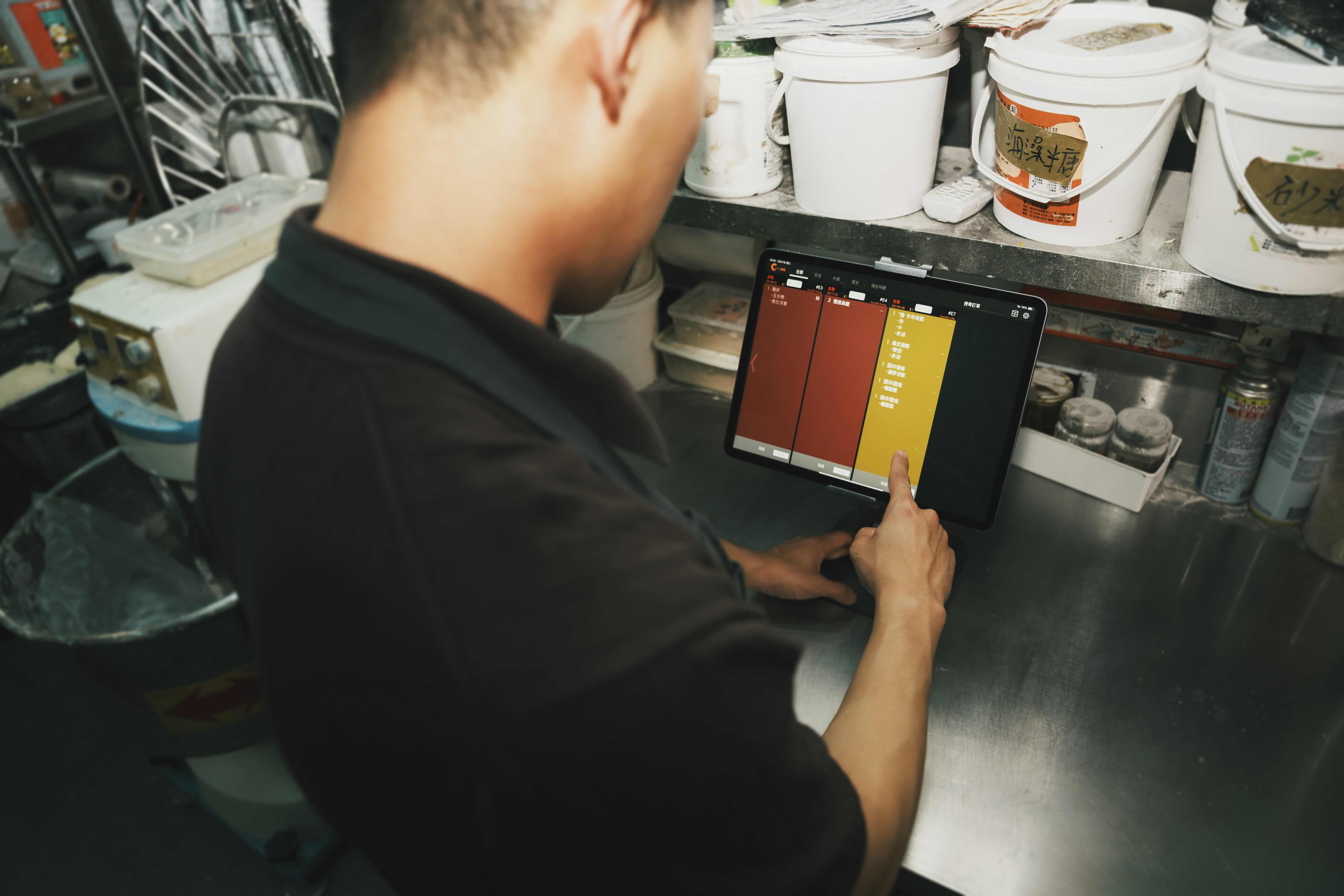
จัดการออเดอร์ทั้งหมดจากที่เดียว
รวบรวมออเดอร์ทั้งหมดไว้ในแพลตฟอร์มเดียว ช่วยให้การจัดการออเดอร์เป็นเรื่องง่าย
ออเดอร์ที่เสร็จสิ้นจะถูกบันทึกไว้ในประวัติการขาย คุณจึงสามารถตรวจสอบและค้นหาออเดอร์ได้อย่างสะดวก
ดูประวัติออเดอร์ย้อนหลังได้ครบ และเรียกออเดอร์เก่ากลับมาดูได้
รายละเอียดออเดอร์ที่แม่นยำ
ดูรายละเอียดของแต่ละออเดอร์ได้อย่างแม่นยำ
แสดงจำนวนของแต่ละเมนู
แสดงหมายเลขโต๊ะของแต่ละรายการ
ออกแบบมาเพื่อเสิร์ฟให้เร็ว
แสดงเวลาที่อาหารปรุงเสร็จ
รายการอาหารแต่ละรายการจะถูกทำเครื่องหมายไว้อย่างชัดเจนเมื่อปรุงเสร็จ
ออเดอร์จะเปลี่ยนสีตามเวลาที่ลูกค้ารอ


* บริการจัดส่งอาหาร (Delivery) กำลังจะเปิดตัวเร็วๆ นี้
เรียกคิวรับอาหารอัตโนมัติด้วยจอเรียกคิว
เมื่อออเดอร์เสร็จสมบูรณ์ ระบบจะเรียกคิวรับอาหารทันที
ออเดอร์ที่ทำเสร็จจะขึ้นบนจอเรียกคิวรับอาหารโดยอัตโนมัติ
ใช้งานร่วมกับจอเรียกคิวรับอาหาร (Pickup Display) ได้
เชื่อมต่อกับระบบอื่นของ Eats365
เชื่อมต่อกับระบบอื่นๆ ของ Eats365 ทีมงานสื่อสารกันได้ลื่นไหลขึ้น
เชื่อมต่อครัวและหน้าร้านได้อย่างไร้รอยต่อ ทำให้พนักงานสามารถเสิร์ฟอาหารถึงมือลูกค้าได้ทันที
พิมพ์ใบจัดอาหาร (Expeditor Ticket)
พิมพ์ใบจัดอาหารสำหรับออเดอร์ทานที่ร้าน ซื้อกลับบ้าน และจัดเลี้ยง (Catering)
แสดงเลขออเดอร์ ประเภทบริการ และชื่อสถานีครัวบนใบ
เพิ่ม QR Code สำหรับสแกน หมายเหตุออเดอร์ และคำขอช้อนส้อม
พิมพ์ใบได้สองภาษา เหมาะกับทีมงานหลายสัญชาติ
รวมรายการที่เหมือนกัน และเลือกรูปแบบการแสดงชุดเมนูได้
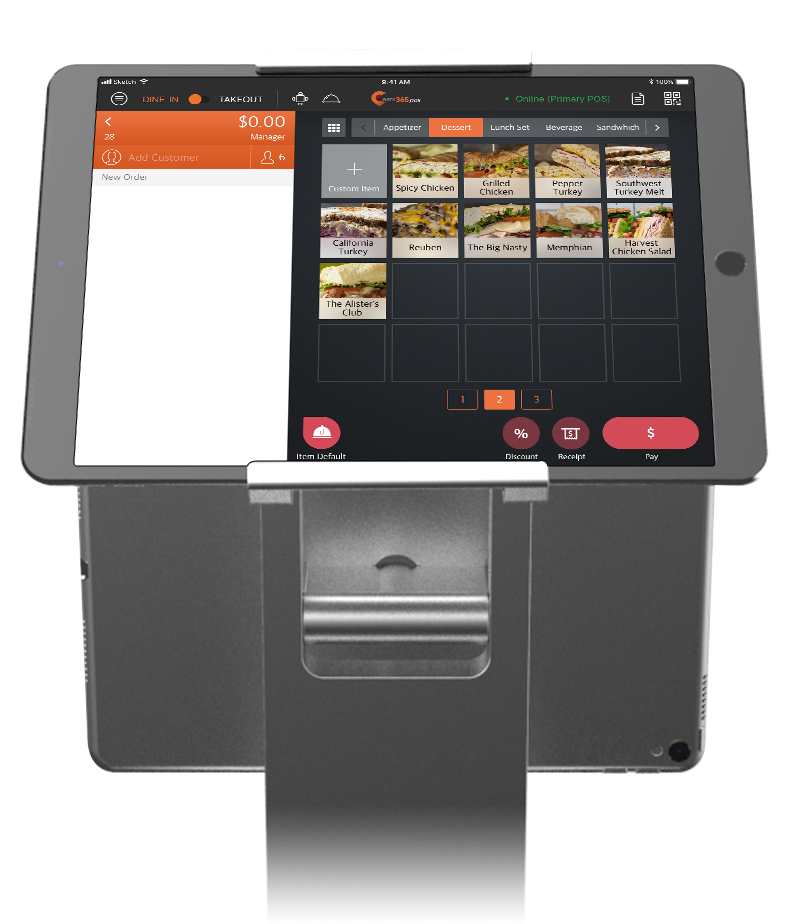
ระบบจัดการการเสิร์ฟอาหาร เหมาะกับร้านอาหารประเภทนี้


ระบบจัดการการเสิร์ฟอาหาร มีอยู่ในโซลูชันเหล่านี้



ร้านอาหารแบบเดียวกับคุณเลือกใช้ระบบจัดการการเสิร์ฟอาหาร
คำถามที่พบบ่อยเกี่ยวกับ Eats365 Expedite Display
1. Expedite Display คืออะไร และทำงานอย่างไร?
Expedite Display คือจอจัดการออเดอร์ดิจิทัลที่รวมทุกออเดอร์ที่ครัวกำลังทำไว้ในหน้าจอเดียว ทำหน้าที่เชื่อมครัวกับหน้าร้าน ให้พนักงานจัดอาหารหรือพนักงานแพ็กเช็กรายการที่ทำเสร็จแล้วได้แบบเรียลไทม์บน iPad เพื่อให้ออเดอร์ถูกต้องก่อนเสิร์ฟถึงลูกค้า
2. Expedite Display ช่วยให้ออเดอร์ถูกต้องขึ้นได้อย่างไร?
Expedite Display ใช้หน้าจอดิจิทัลแทนใบออเดอร์กระดาษ พนักงานเช็กออเดอร์ได้ทีละรายการ และเห็นภาพรวมของทุกออเดอร์ที่ทำเสร็จแบบเรียลไทม์ จึงจับรายการผิดหรือตกหล่นได้ก่อนอาหารออกจากครัว ลูกค้าไม่ต้องได้อาหารเย็นชืดหรือบริการที่ไม่ดี
3. Expedite Display ซิงค์กับ POS และจอครัว (KDS) ได้ไหม?
ได้ Expedite Display เป็นโมดูลหลังร้านที่เชื่อมต่อกับ Eats365 POS และจอครัว (KDS) โดยตรง ข้อมูลออเดอร์จึงส่งถึงทุกโมดูลทันที ทีมครัวและทีมหน้าร้านสื่อสารกันได้ตลอด
4. ลูกค้าดูสถานะออเดอร์ผ่าน Expedite Display ได้ไหม?
ไม่ได้โดยตรง Expedite Display ใช้สำหรับพนักงาน แต่ใช้คู่กับจอเรียกคิวรับอาหาร (Pickup Display) เพื่อแจ้งลูกค้าเมื่ออาหารพร้อม เมื่อพนักงานกดว่าออเดอร์เสร็จแล้ว สถานะจะอัปเดตไปยังโมดูลหน้าร้านโดยอัตโนมัติ ลูกค้าจึงรู้สถานะออเดอร์ตลอด
5. ต้องใช้ฮาร์ดแวร์อะไรในการใช้งาน Eats365 Expedite Display?
Expedite Display ใช้งานบน iPad ทั่วไป วางได้ยืดหยุ่นที่จุดแพ็กอาหารหรือจุดส่งอาหาร (pass) พนักงานแตะหน้าจอเพื่อจัดการและเคลียร์ออเดอร์ได้รวดเร็ว
อ่านเพิ่มเติม: ระบบจัดการการเสิร์ฟช่วยร้านอาหารได้อย่างไร
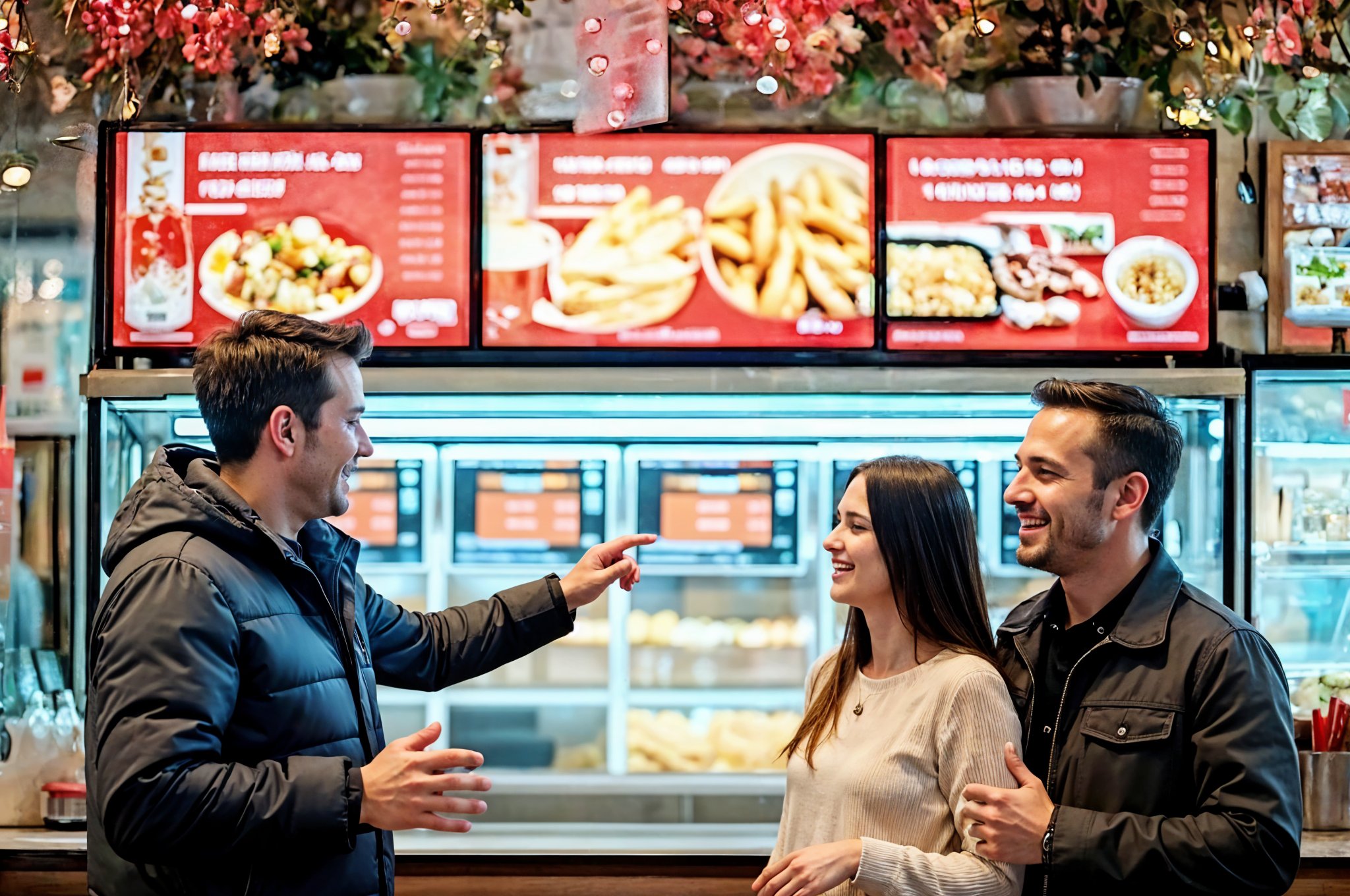
Top Digital Signage Strategies for Quick Service Restaurants
 18 Jun 2025

Are your static menus and long wait times hurting sales? This guide explores how quick service restaurant digital signage boosts revenue, enhances customer experience, and streamlines operations.
Foodtech
Read More
How to Organize a Commercial Kitchen in 2026 - A Growth Guide for Restaurant Owners
24 Dec 2024
Revolutionize your restaurant kitchen with cutting-edge tech and proven strategies! Discover how our Kitchen Display System boosts speed, quality, and efficiency to fuel your growth in 2026.
Kitchen management
Foodtech
Read More
Guide to The Best Kitchen Display System for Your Restaurant
13 Feb 2024
A Kitchen Display System (KDS) streamlines workflows, reduces errors, and boosts efficiency in any restaurant, from quick-serve to fine dining. Discover how a KDS benefits your operations and the key features to consider when choosing one.
Kitchen management
Restaurant POS Features
Foodtech
Read More
