Self Ordering Systems: Kiosk vs App vs QR Code
Could a self-ordering system be the game-changer of your New Zealand restaurant? Self-ordering systems are transforming the hospitality landscape, offering restaurants innovative ways to streamline operations and enhance dining experience. This article will compare 3 most common self-ordering technologies: kiosks, mobile apps, and QR code platforms.
 24 Sep 2025

 Eats365
Contents
- What is Self-Ordering System? How Does it Work
- Self-Ordering Solution 1. Self-Service Kiosks
- Self-Ordering Solution 2. Mobile App Ordering
- Self-Ordering Solution 3. QR Code Ordering
- Comparing 3 Main Self-Ordering Technologies
- Guide to Choosing the Right System for New Zealand Restaurants
- Elevate the NZ Dining Experience with Eats365
- FAQs on Self Ordering System for NZ Restaurants
What is Self-Ordering System? How Does it Work?
Self-ordering systems are the fast-growing restaurant technology that empowers customers to order directly via digital interfaces like tablets, smartphones, or kiosks. These systems offer three main ways to order: standalone apps, integrated online ordering, and local route to internal web, then eventually linked to the restaurant's POS system.
Self-ordering systems are offering benefits for New Zealand restaurants, such benefits include:
-
Reduce wait times by up to 40%
-
Minimize order errors by roughly 30%
-
Boost sales by 20% with visually appealing digital menus
-
Free up staff to focus on food prep and customer experience
Self-Ordering Solution 1. Self-Service Kiosks
Self-service kiosks are touchscreen terminals that customers can interact with and usually comes with flexible hardware options. iPad kiosks need just an iPad, stand, and printer, while Android units offer an all-in-one solution. Subscriptions start from $130/month with no upfront costs, appealing to budget-conscious businesses.
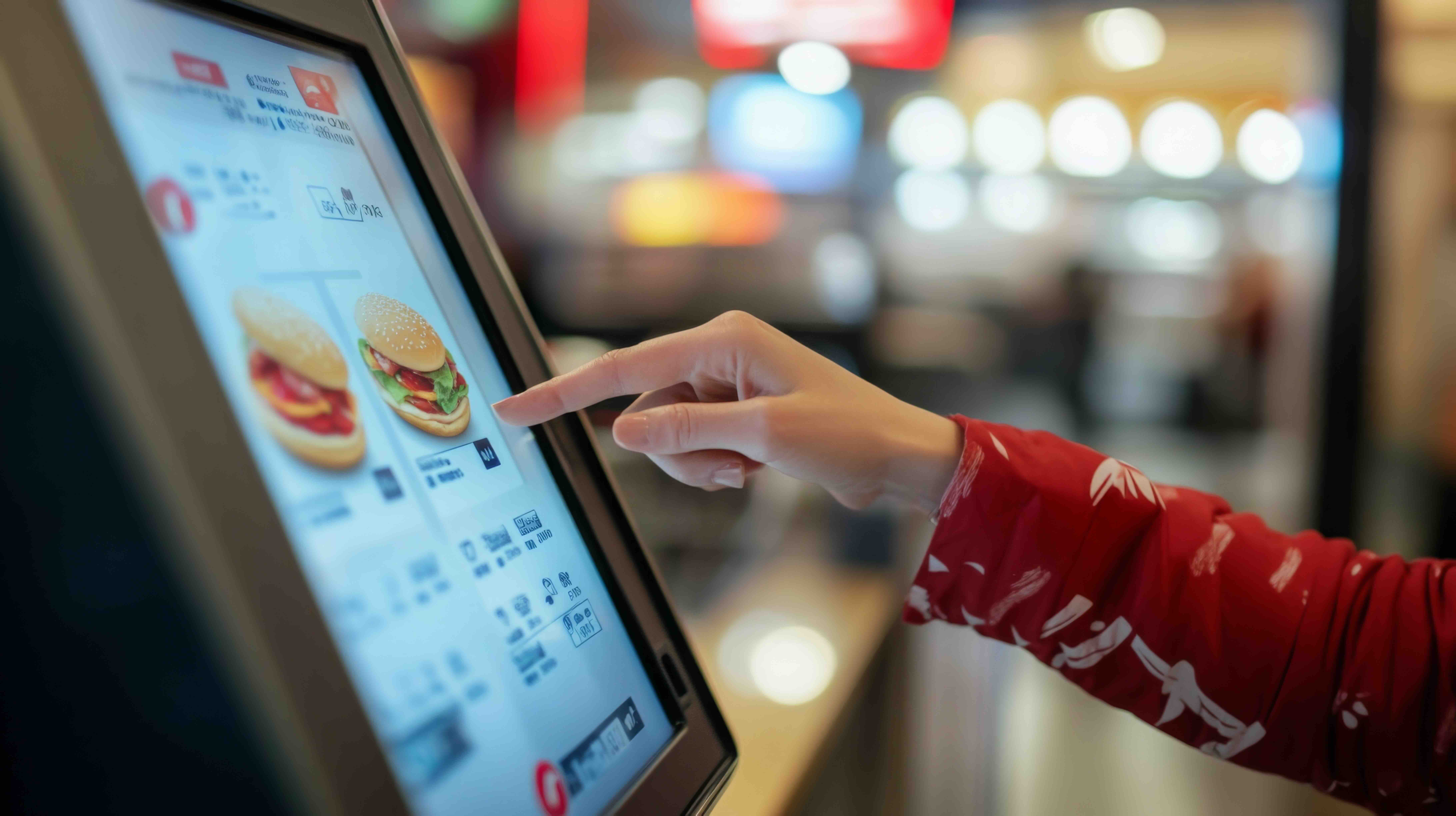
Instead of traditional counter ordering, customers can browse menus, customize orders, and pay independently. Eats365 research shows these kiosks integrate directly with the restaurant's POS and kitchen display systems, making sure orders flow smoothly from the customer to the kitchen. Studies also mentioned that kiosks are more popular in New Zealand than Australia, offering good returns through shorter queues and customizable orders.
Self-Ordering Solution 2. Mobile App Ordering
Mobile app ordering offers ultimate convenience but often involves the highest upfront investment. Customers can explore menus, customize preferences, and order from their smartphones. They can order ahead, save favorite meals, and even get personalized recommendations. Unlike kiosk and QR code systems, mobile apps need dedicated marketing to encourage downloads and use and usually costs more for app store maintenance, iOS and Android updates, and mobile payment integration.
Self-Ordering Solution 3. QR Code Ordering
QR code ordering is generally the most affordable for New Zealand restaurants. Customers simply scan a QR code at their table to access digital menus, order, and pay from their mobile devices. It minimizes order-taking time in a very simple way. Customer's can directly place order instead of waiting service staffs to come.
Implementation costs of QR Code Ordering is the lowest among other self-ordering systems as well. It's generally around $30-$80 monthly per location. The technical requirements are minimal, needing only basic smartphone functionality and POS integration. However, watch out for “free” systems with hefty hidden fees.
Comparing 3 Main Self-Ordering Technologies
| System Type | Implementation Cost | Technical Requirements | Key Advantages | Primary Challenges |
|---|---|---|---|---|
| QR Code Ordering | $30-$80/month + fees | Minimal - smartphone | Fast setup, contactless | Hidden costs |
| Self-Service Kiosks | $130/month subscription | Hardware, space | Reduced wait times, higher order values | Space needs, some customer resistance |
| Mobile App Ordering | High upfront cost | App maintenance, updates | Loyalty, personalization | Getting customers to download/use the app |
Compared on Customer Experience
Kiosk Performance: Kiosks are nown for speed and accuracy. Multiple customers can order at once, reducing congestion, especially during busy periods. Order errors decrease because customers input their choices directly. Contactless transactions are faster than traditional methods, with some Auckland quick-service spots reporting 25% larger average order sizes.
Customer Preferences: It’s important to consider demographics. Younger diners (18-34) are comfortable with digital ordering (70% likely to use digital platforms), while older customers may find tech-heavy restaurants impersonal. The Restaurant New Zealand 2025 Consumer Dining Insights Report shows 61% of Aussies and Kiwis dislike ordering via phone at the table, while 56% prefer speaking to servers for drinks and 30% prefer bartender interaction. This suggests a need for blended approaches, not just full digital takeover.
Compared on Operational Efficiency
Kiosk Advantages: Kiosks can cut wait times by up to 40%, increase average orders by 30%, reduce labor costs by up to 25%, cut order errors by up to 80%, and boost average order value by 15-30% through upselling. It’s always a good idea to compare these vendor claims with independent studies.
QR Code Benefits: QR codes offer easy menu updates (prices, specials, stock), minimal staff training, and quick implementation. They also cater to the growing demand for touch-free experiences. Visual menus can encourage upselling, potentially boosting sales by up to 20%.
Compared on Types of Restaurant
Fast-Casual and Takeout: Online ordering is a great fit here. It's become standard practice, offering the speed and efficiency customers expect. Deliverect research shows how these systems handle multiple orders at once, eliminating bottlenecks.
Full-Service Restaurants: These restaurants have different priorities. They may prioritize customer interaction, but can still leverage online ordering for services like DoorDash or UberEats. Counter service with QR code menus alongside traditional ordering might be a good compromise, balancing efficiency and Kiwi diners' preference for personal interaction.
Food Courts: Kiosks are well-suited for food courts. Research from AUT suggests Gen Z customers like having control over their ordering. Kiosks manage multiple customer flows efficiently.
Guide to Choosing the Right System for New Zealand Restaurants
Choosing a self-ordering system requires careful thought, balancing innovation with Kiwi diners’ expectations.
1. Define Target Demographic
New Zealand shows varying levels of comfort with self-ordering technology. AUT research suggests younger diners (18-34) are keen on digital platforms, while older demographics are more hesitant. Many customers (56%) still prefer interaction with servers. So, technology should complement, not replace, human interaction.
2. Choose by Restaurant Type
Cafes and Fast-Casual: Self-service kiosks seem to be gaining favor in New Zealand], reducing queues, increasing order values, and enabling real-time menu customization.
Full Service Restaurant: Here, technology should enhance the personal touch, perhaps with subtle QR code menus, easy split billing, and unobtrusive table management.
Food Courts: These settings benefit from robust pos systems that manage multiple vendors, centralized payments, and real-time inventory.
3. Make Roadmap of Implementation
-
Review your current operations.
-
Map the customer journey and tech touchpoints.
-
Choose adaptable POS platforms.
-
Train your staff.
-
Roll out the technology gradually.
-
Get ongoing customer feedback and analyze it.
By viewing self-ordering systems as tools to enhance hospitality, not replace it, New Zealand restaurants can create appealing, modern dining experiences that balance innovation and customer expectations.
Elevate the NZ Dining Experience with Eats365
Orders from self-ordering channels go straight into the POS, alerting kitchen staff and eliminating manual errors. It streamlines orders from all channels—in-person, online, and delivery—reducing mistakes and improving speed. Data collection helps restaurants understand customers and tailor marketing. Eats365 research shows this integration can boost revenue without raising operating costs and provides unified analytics. Centralized reporting combines data from all transaction points, enabling operators to track performance across kiosk, mobile, and QR code channels. Without integration, restaurants risk much heavier staff workloads.
Streamline your restaurant operations with Eats365's flexible pos system, seamlessly integrating self-service kiosks, QR code ordering, and online ordering to cater to every customer preference. Contact us today to discover how our solutions can enhance your New Zealand business and elevate the dining experience.
FAQs on Self Ordering System for NZ Restaurants
What are the key benefits of a self ordering system for restaurants?
Self ordering systems reduce wait times by up to 40%, minimize order errors by about 30%, and boost sales by 20% through digital menus. They also free staff to focus on food prep and customer service, increasing operational efficiency overall.
How do self ordering kiosks improve restaurant revenue and efficiency?
Kiosks can increase average order value by 15-30% with automated upselling and reduce labour costs by up to 25%. They speed up service, cut queues, and enhance order accuracy by letting customers input their choices directly, which benefits both revenue and customer experience.
Which self ordering system is most cost-effective for small restaurants in New Zealand?
QR code ordering is generally the most affordable option, costing around $30-$80 monthly per site plus eftpos payment processing fees. It requires minimal hardware and is quick to implement, making it ideal for budget-conscious cafes and smaller venues.
How can Eats365 support restaurants implementing self ordering systems?
Eats365 offers fully integrated pos systems that connect self ordering kiosks, QR code orders, and mobile apps directly to kitchen and inventory systems. This seamless integration reduces errors, streamlines operations, and provides unified analytics to boost revenue without increasing operating costs.
What factors should NZ restaurant owners consider when choosing a self ordering system?
Owners should assess their target customer demographics, restaurant type, and space availability. Younger diners prefer digital platforms, but many still want server interaction. Balancing technology with personal service via a hybrid system increases customer satisfaction.
Can Eats365 help customize self ordering systems for different restaurant types?
Yes, Eats365 can tailor solutions for fast casual, fine dining, or food courts by offering flexible ordering channels like kiosks, QR codes, and mobile apps. This adaptability ensures technology fits each business model and customer preference.