QR Ordering Solutions for NZ Hospitality: Setup, Customer Flow & System Comparison
GST-at-table confusion, EFTPOS mismatches, and weekend internet dropouts—most QR ordering guides overlook New Zealand realities. Here's a practical setup guide built for NZ venues, from busy urban cafés to rural restaurants that cannot afford service disruptions.
 13 Feb 2026

 Eats365
Contents
- What to Expect from QR Ordering in NZ
- How QR Code Ordering Works in a NZ Restaurant
- Is QR Ordering Right for Your Venue
- NZ-Specific Setup: Configuring QR Ordering for Your Venue
- QR Code Ordering Systems Compared for NZ Venues
- Finding the Right QR Code Ordering System by Venue Type
- QR Ordering vs. Traditional POS Ordering
- Key Questions NZ Operators Ask Before Committing
- Where Eats365 May Be a Better Fit
What to Expect from QR Ordering in NZ
-
Main use cases in NZ: QR ordering is most often used to reduce labour pressure, increase table turns during busy services, and reduce mistakes caused by staff re-entered orders.
-
Use the Decision Framework: Check offline continuity, EFTPOS/payment integration, and how deeply the QR system connects with your POS.
-
Best fit depends on venue type: Rural and regional venues usually care most about offline continuity. High-volume city venues usually care most about POS depth and reconciliation simplicity. Tourist-facing venues may need multilingual menus. Fine dining venues often suit a hybrid setup rather than full QR-only service.
-
Do not buy on price alone: A cheaper system that fails during an outage or creates end-of-day payment reconciliation work can cost more in labour and service disruption.
Decision Framework
Before comparing vendors, answer these three questions for your venue:
-
Do you need true offline continuity? If your internet is unreliable, this should be a non-negotiable requirement.
-
How deep must the POS integration be? Decide whether you need orders, payments, table status, and reporting to sync in one system, or whether a lighter add-on is acceptable.
-
Which payment methods must be supported? List the gateways, EFTPOS terminals, and card-present or card-not-present flows your venue needs before you shortlist any platform.
Use the setup checklist and comparison table below to test each system against those three decisions.
How QR Code Ordering Works in a NZ Restaurant
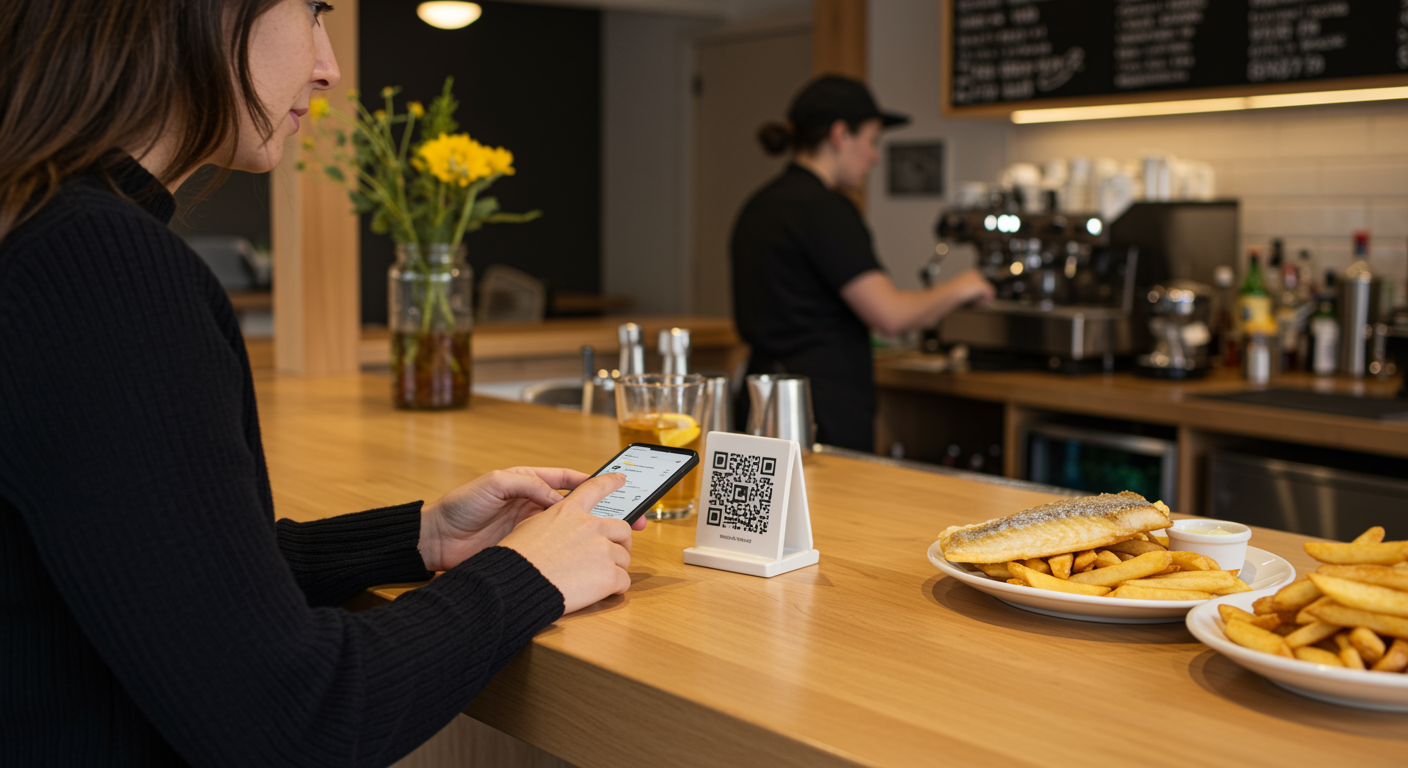
In a NZ hospitality context, QR code ordering is a table-side self-service workflow where a customer scans a printed or displayed QR code, browses a digital menu on their own smartphone browser, places an order, and pays — all without waiting for a staff member to take the order or process a payment. The order routes directly to the kitchen display or printer, and the POS system records the transaction just as it would for a counter or staff-entered order.
The Customer Flow at a NZ Table
From scan to digital receipt, here is the sequence a NZ diner usually goes through:
-
Scan — The customer points their smartphone camera at the QR code on the table, menu card, or tent card. No app download is required; the menu opens in the phone's browser.
-
Browse — The digital menu displays items, photos, descriptions, allergen notes, and modifiers such as extra halloumi or oat milk. Prices shown should include GST, in line with NZ consumer pricing expectations.
-
Customise and add to cart — The customer selects items, chooses modifiers, and reviews the cart. The system can enforce minimum spend rules or time-based menus such as brunch vs. dinner.
-
Place order — The order is submitted and sent straight to the kitchen display system (KDS) or kitchen printer. A table number or QR code identifier is attached so kitchen staff know where it is going.
-
Pay — The customer pays via the integrated payment flow. In NZ, this often means Visa, Mastercard, Apple Pay, or Google Pay through a card-present or card-not-present gateway. For venues requiring EFTPOS terminal payment, such as Eftpos NZ or Verifone, the workflow may route payment confirmation to the POS for staff to finalise at the table.
-
Receipt — A digital receipt is issued showing the venue details, itemised charges, and GST component, designed to support Inland Revenue record-keeping and normal GST reporting requirements.
What Happens in the Kitchen
The order appears on the KDS or prints at the relevant kitchen station within seconds of submission. There is no re-entry by floor staff, which eliminates one of the most common sources of order mistakes in high-volume NZ venues. If the POS is integrated, the order is also automatically posted to the table's running bill, enabling split-bill workflows or further rounds.
Labour and Staff Impact
QR ordering changes FOH work more than it removes it. In practice, staff spend less time taking basic orders and walking EFTPOS terminals from table to table, and more time on greeting, food running, handling dietary questions, checking tables, and prompting extras such as another drink, dessert, or a side.
Before go-live, plan one focused staff briefing and floor test. Cover:
-
how to show a guest the scan-to-order flow in under 30 seconds
-
how to fall back to staff-entered POS orders if a guest does not want to use QR
-
how to answer allergy and modifier questions from the digital menu
-
how to close mixed tables where some items were ordered by QR and others by staff
-
who is responsible for checking unpaid tables, re-orders, and table clearing
The labour saving is usually operational rather than absolute. Many venues do not remove FOH entirely; they use QR ordering to run the same service with fewer staff tied up in order-taking during peak periods.
As a practical test, track 30 days of service before rollout and measure how many FOH hours are spent purely on taking orders and handling payment at tables. If QR ordering removes enough of that task load, some venues can reduce one FOH position on a busy shift or avoid adding one extra casual during peak periods.
For a café doing 80 to 120 covers in a service, that can translate into roughly one fewer order-taking-heavy FOH shift allocation, while keeping service coverage on the floor.
Is QR Ordering Right for Your Venue?
QR ordering is usually a strong fit if your venue has one or more of these characteristics:
-
busy peak periods where staff spend too much time taking routine orders
-
customers who are comfortable browsing and paying on their phones
-
frequent modifier-heavy orders where manual entry errors are costly
-
a need to improve table turns without adding more floor staff
-
takeaway, click-and-collect, or re-order scenarios that could run from the same digital menu
It may be a weaker fit as a full-service replacement if your venue relies heavily on guided upselling, course pacing, or personal table service. In those cases, QR is often better used selectively — for drinks, desserts, or repeat rounds — rather than for every order.
Read more: Hospitality NZ resources.
NZ-Specific Setup: Configuring QR Ordering for Your Venue
Setting up QR code ordering is usually simpler than operators expect, but the choices made at setup affect service speed, payment flow, and end-of-day reconciliation. The steps below are the ones that matter most in a NZ venue.
Step 1 — Confirm Your POS Integration Path
Not all QR ordering products are standalone apps that work independently of your POS — nor should they. For most NZ venues, the better setup is a QR ordering module that is native to, or deeply integrated with, your main POS system. This means:
-
Orders from the QR flow post automatically to the same POS session as counter and staff-entered orders
-
End-of-day reconciliation is a single report, not a merge exercise across two systems
-
GST is calculated and recorded in one place, simplifying your monthly GST return to Inland Revenue
If you are evaluating a third-party QR ordering add-on for an existing POS, confirm whether the integration is bidirectional (orders and payments both sync) or one-way (orders only, requiring manual payment reconciliation).
Step 2 — Set Up Your Digital Menu
Your digital menu is the customer's primary interface, so the work done here affects ordering speed and average spend:
-
Bulk import — If your POS already holds your menu data, look for a system that allows CSV or bulk import rather than manual re-entry. For NZ venues with multilingual menus, common in Auckland, Queenstown, and tourist-heavy regions, bulk import with language field support is a major time-saver.
-
Item photos and descriptions — Menus with photos and clear modifier prompts make it easier for customers to add a side, upgrade to a large, or choose an extra topping without staff needing to prompt every table.
-
Allergen and dietary flags — With NZ Food Standards Code requirements around allergen information, ensure your digital menu can surface allergen information at the item level before the customer orders (New Zealand Food Safety Authority guidelines).
-
GST-inclusive pricing — All menu prices should display GST-inclusive in NZ. Confirm the system handles GST calculation correctly and does not show a pre-tax price with GST added at checkout.
Step 3 — Generate and Place Table QR Codes
-
Most QR ordering systems generate unique QR codes per table from the management dashboard — typically one code per table number, with the table identifier embedded in the code URL.
-
Print your QR code at a minimum of 3 cm × 3 cm on durable, moisture-resistant, and UV-protected materials that match your venue layout and display needs.
-
For outdoor areas, UV-resistant lamination is recommended given NZ's high UV index.
-
Test every QR code on both iOS (Safari) and Android (Chrome) before service, as rendering can vary.
Step 4 — Configure EFTPOS and Payment Integration
EFTPOS remains the dominant in-venue payment method in NZ. When configuring payments for QR ordering:
-
Card-not-present gateway — Many QR ordering systems process payment as card-not-present (CNP) through Stripe, Windcave (Payment Express), or a similar NZ-compatible gateway. Confirm your acquiring bank's CNP rate, as it is typically higher than card-present rates.
-
Card-present EFTPOS terminal pairing — Some POS systems support a hybrid model where the customer orders via QR but pays at the table on a roving EFTPOS terminal brought by staff. This is often preferred by NZ operators serving older demographics or higher-spend fine dining.
-
Surcharging — If you pass card processing fees to customers, NZ law requires the surcharge to be disclosed before payment and to not exceed the actual cost of acceptance. Your QR ordering payment configuration must support transparent surcharge display.
NZ Payment Gateway & EFTPOS Terminal Decision Guide
As a venue manager, knowing exactly how QR payment integrates with your chosen payment terminal saves you reconciliation pain later on:
-
If you use Windcave (Payment Express): Most systems allow for online QR checkout, so guests pay in-browser and transaction details are recorded instantly in the POS. Funds settle to your merchant account as per your acquirer schedule.
-
If you use Worldline/Paymark: Guests complete their QR food order, but staff must bring a mobile terminal to the table for card-present payment. This two-step process requires you to coordinate staff to confirm payment—very common for venues serving less tech-savvy guests.
-
If you use Stripe: Customers pay directly in-browser, ideal for venues comfortable with card-not-present payments. Keep in mind CNP fees.
-
If you use Smartpay: Similar to Worldline; QR orders submit to the kitchen, but payment is confirmed at-table by staff using a mobile EFTPOS terminal.
-
If you use Verifone or Eftpos NZ: Typically involves POS-side integration. Sometimes, POS staff need to manually reconcile or confirm payments at the end of shift, depending on your system setup.
Each merchant's integration specifics may vary depending on your POS and payment provider setup; always confirm the exact payment flow and integration with your supplier before committing to a system.
It's critical to check these flows up-front with your POS and payment provider before signing. Integration nuances mean that even within the same hardware (e.g., Verifone), your payment process may not be identical across vendors.
QR Code Ordering Systems Compared for NZ Venues
|
System |
QR Ordering Module |
EFTPOS / NZ Payment Integration |
Offline Mode |
Multilingual Menu Support |
Indicative NZD Pricing |
|---|---|---|---|---|---|
|
Eats365 |
Native, fully integrated with POS |
Windcave, Stripe, card-present EFTPOS pairing |
✅ |
✅ |
From ~NZ$150–$200/month |
|
Lightspeed Restaurant |
Available via QR/order-at-table feature |
Lightspeed Payments (NZ), partner gateways |
⚠️ |
⚠️ |
From ~NZ$180–$300/month |
|
me&u |
Standalone QR ordering app, POS integration via API |
Stripe CNP; EFTPOS usually requires POS-side handling |
❌ |
⚠️ |
Contact vendor for NZ pricing |
|
Bopple |
Standalone QR + online ordering |
Stripe; EFTPOS via POS integration |
❌ |
⚠️ |
From ~NZ$100–$200/month |
|
Square for Restaurants |
QR ordering add-on available |
Square Payments (card-present, NZ-supported) |
⚠️ |
⚠️ |
Free–NZ$130+/month depending on tier
|
If offline resilience is your highest concern (e.g., rural or regional venues), Eats365 offers NZ's most robust option. Existing Lightspeed users will find the least friction integrating QR with their current system. For city-based cafés on tight startup budgets, Square provides the fastest low-cost entry point—just ensure it supports your required New Zealand payment methods. Bopple and me&u best fit cloud-centric venues seeking straightforward browser-based flows, mainly for casual service.
Quick Takeaways:
-
Eats365: Top pick for venues needing uninterrupted service during internet outages; more setup but deep integration and multi-language support.
-
Lightspeed Restaurant: Easiest upgrade for venues already using Lightspeed; strong POS integration but partial offline support—verify gaps.
-
me&u: Simple cloud solution, ideal for high-turnover casuals, but less offline resilience and needs NZ payment flow checks.
-
Bopple: Good for fast casual venues going digital primarily for browser ordering; confirm effect of outages on customer experience.
-
Square for Restaurants: Best for ultra-lean, budget-focused setups; confirm offline menu and NZ payment compatibility prior to rollout.
Offline capability summary
-
Full offline continuity: Eats365 is positioned for venues that need both POS continuity and continued QR order queuing during an outage.
-
Partial offline: Lightspeed and Square may support some offline POS behaviour, but operators should confirm exactly what still works for customer scan-to-order, payment capture, and kitchen routing during a live outage.
-
Cloud-dependent: me&u and Bopple are better thought of as live-connection systems for QR ordering. If the internet drops, customer ordering generally stops until service returns.
Sourcing Note: Comparison data validated as of June 2024, referencing official documentation, published pricing, and representative industry contracts from each vendor (Eats365, Lightspeed Restaurant, me&u, Bopple, and Square for Restaurants). Windcave API, Worldline/Paymark integration, Stripe terminal documentation, Smartpay integrations, Verifone developer resources, and Eftpos NZ integrations. Fees and features may change due to currency and contract variations, so always confirm current details directly with shortlisted providers before making your decision.
Finding the Right QR Code Ordering System by Venue Type
|
Venue type |
What to prioritise |
Best-fit system profile |
|---|---|---|
|
Rural or regional restaurant, pub, winery, or event venue |
Offline continuity, local order storage, reconnection sync |
Prioritise systems with full offline capability and clear outage procedures |
|
High-volume urban café or bar |
Deep POS integration, fast table turns, simple reconciliation |
Prioritise native or tightly integrated POS-led systems |
|
Tourist-facing venue |
Multilingual menus, easy browser-based ordering, simple payment flow |
Prioritise systems with stronger language support and easy self-service browsing |
|
Fine dining or higher-spend venue |
Hybrid service, mixed staff-entered and QR orders, clean table-close billing |
Prioritise systems that handle QR as an add-on to service rather than as an all-or-nothing model |
-
High-volume urban café or bar (Auckland, Wellington, Christchurch): Focus on a system with strong integration into your POS and simple reconciliation, so GST and takings stay accurate. If you're in a district prone to slow mobile networks during major events, check what happens when connectivity drops—a failing QR module can slow the floor down fast.
-
Rural or regional NZ restaurant or pub: If your venue's in the mountains or out in the country and the internet drops when you're slammed on Saturday, having "offline order storage and anti-outage failovers" is essential. In real life, ask the vendor to simulate what happens if you physically disconnect the network cable: can diners still order? Are orders stored for later sync? Does the kitchen still operate without chaos?
-
Tourist-facing venues with international guests: Prioritise digital menu systems that let you manage multiple languages efficiently—ideally from a single data file—so your team isn't juggling several menus.
-
Fine dining or high-spend NZ restaurants: For places valuing guided service and bill control, QR ordering typically works best as a supplement for repeat drinks or dessert rounds. Confirm the system handles mixed tables (QR and staff orders) and doesn't break your bill-close process.
EFTPOS and payment integration cautions
-
Do not assume a listed gateway means full NZ table-service compatibility. Confirm whether the payment flow is card-not-present in-browser, staff-assisted card-present EFTPOS, or a hybrid of both.
-
Ask whether the QR payment is captured inside the same POS transaction or reconciled separately at end of day.
-
If your venue relies on Worldline, Smartpay, Verifone, or Eftpos NZ terminals, request a live demonstration of the payment flow before signing.
-
If you surcharge, confirm that the surcharge can be shown clearly before payment completion in the QR checkout.
QR Ordering vs. Traditional POS Ordering
Use the table below to compare the two models side by side, then measure the impact in your own venue before and after rollout.
|
Dimension |
QR Ordering |
Traditional POS Ordering |
|---|---|---|
|
Order accuracy |
Customer enters the order directly from the live menu, which reduces missed modifiers, wrong table numbers, and re-keying errors |
Staff must hear, remember, and enter the order correctly, which creates more room for manual mistakes |
|
Void and remake risk |
Usually lower when the menu, modifiers, and table mapping are set up correctly |
Usually higher in busy services where staff are entering orders quickly |
|
Average spend per head |
Digital prompts, photos, and modifiers can increase sides, upgrades, toppings, and dessert add-on |
Upsells depend more on staff consistency, training, and time at the table |
|
Speed during peak periods |
Reduces waiting time for order-taking and can free staff during rush periods |
Staff must take every order manually, which can slow service when the floor is busy |
|
Labour use |
Shifts staff time away from order-taking and payment handling toward greeting, running food, and table support |
Keeps more staff time tied up in basic order entry and payment collection |
|
Payment flow |
Can be prepaid in-browser, staff-assisted by EFTPOS, or run as a hybrid depending on the system |
Usually card-present at counter or table via EFTPOS terminal |
|
Reconciliation |
Usually simpler when QR ordering is native to the POS; more work if QR and POS are separate systems |
Usually straightforward because all orders and payments sit in the POS |
|
Hardware |
QR code print materials plus existing payment setup |
EFTPOS terminal and, in some venues, handheld ordering devices |
|
Software cost |
Often adds a QR module or platform fee on top of POS costs |
Usually limited to core POS subscription unless extra handheld tools are added |
|
Payment processing cost |
Often includes card-not-present rates for browser payments, which can be higher |
Usually runs on lower card-present rates |
|
Guest accessibility |
Works best when customers are comfortable using smartphones; needs a clear fallback for guests who are not |
Familiar for all customer groups and does not depend on phone use |
|
Best fit |
High-volume, casual, modifier-heavy, or labour-tight venues |
Venues centred on guided service, course pacing, or fully staff-led hospitality |
Track these numbers for 30 days before and after rollout so you can quantify the change in your own venue:
-
voided or remade dishes caused by wrong item entry
-
discounts or comps issued after service mistakes
-
total dollar value of waste tied to order-entry errors
-
add-on rate for selected items under staff-taken ordering versus QR ordering
-
average spend per head by daypart
-
conversion rate on specific prompts such as fries, extra protein, or premium drinks
A simple test is to choose three high-volume upsell items and measure their attachment rate for four weeks before and after QR rollout.
Key Questions NZ Operators Ask Before Committing
Q: Does QR ordering work for older customers or those without smartphones?
Yes, but only if you maintain a parallel paper menu and staff-entered order fallback. Most local operators and software providers recommend retaining traditional paper menus and manual ordering as a backup, since some guests may strongly resist using QR code ordering.
Q: Is a QR ordering system GST-compliant in NZ?
A properly configured system is. The system must display GST-inclusive prices, issue receipts that show your GST registration number and the GST component of the transaction, and record transactions in a way that produces a reconcilable GST report for your Inland Revenue filings. Confirm these capabilities explicitly with your vendor before going live.
Q: Can I use QR ordering for takeaway or click-and-collect?
Many QR ordering platforms also support online ordering for takeaway and click-and-collect under the same dashboard. Confirm this early if it matters to your operation.
Q: What if a customer leaves without paying?
QR ordering systems that require payment completion before order submission eliminate this risk entirely — the kitchen does not receive the order until payment is confirmed. Hybrid models where QR ordering posts to a running tab, with payment at table-close, carry the same walkout risk as traditional service and require the same floor management.
Q: How long will it take to set up the system, and what staff training is provided?
Implementation times vary by provider, but it's common to have your QR ordering system ready to go live in 1–2 weeks after menu data capture and integration. Ask your vendor what onboarding, video, or in-person training is available to accelerate staff adoption and ensure a smooth transition.
Q: Is there a contract lock-in or early termination fee?
Many systems offer month-to-month subscription pricing, but some require a minimum-term contract or charge an early exit fee. Always request a draft contract and check for up-front hardware, install, or termination charges before making a decision.
Q: How should we handle accessibility or connectivity gaps for elderly guests or venues with weak mobile/data signals?
Ask your provider about accessibility features (large-font options, alternative ordering paths, language choices) and for venues with patchy coverage, clarify the system's offline fallback. Instruct your team to always keep paper menus ready and reinforce manual backup workflows for customers unable or unwilling to use a phone.
Where Eats365 May Be a Better Fit
Within this comparison, Eats365 is best understood as one option that may suit specific operational requirements rather than as a default recommendation for every venue.
It is likely to be a stronger fit if your venue specifically needs:
-
offline QR ordering continuity during internet outages
-
one system for QR ordering, POS, and reporting rather than a separate add-on
-
multilingual menu support for tourist-heavy service environments
-
a hybrid setup where staff-entered and self-entered orders need to sit cleanly on the same operational flow
If those needs are not central to your operation, another system may still be the better choice based on price, existing POS stack, or preferred payment setup. The right decision depends less on brand and more on whether the system matches your venue's internet reliability, service style, and reconciliation requirements.